
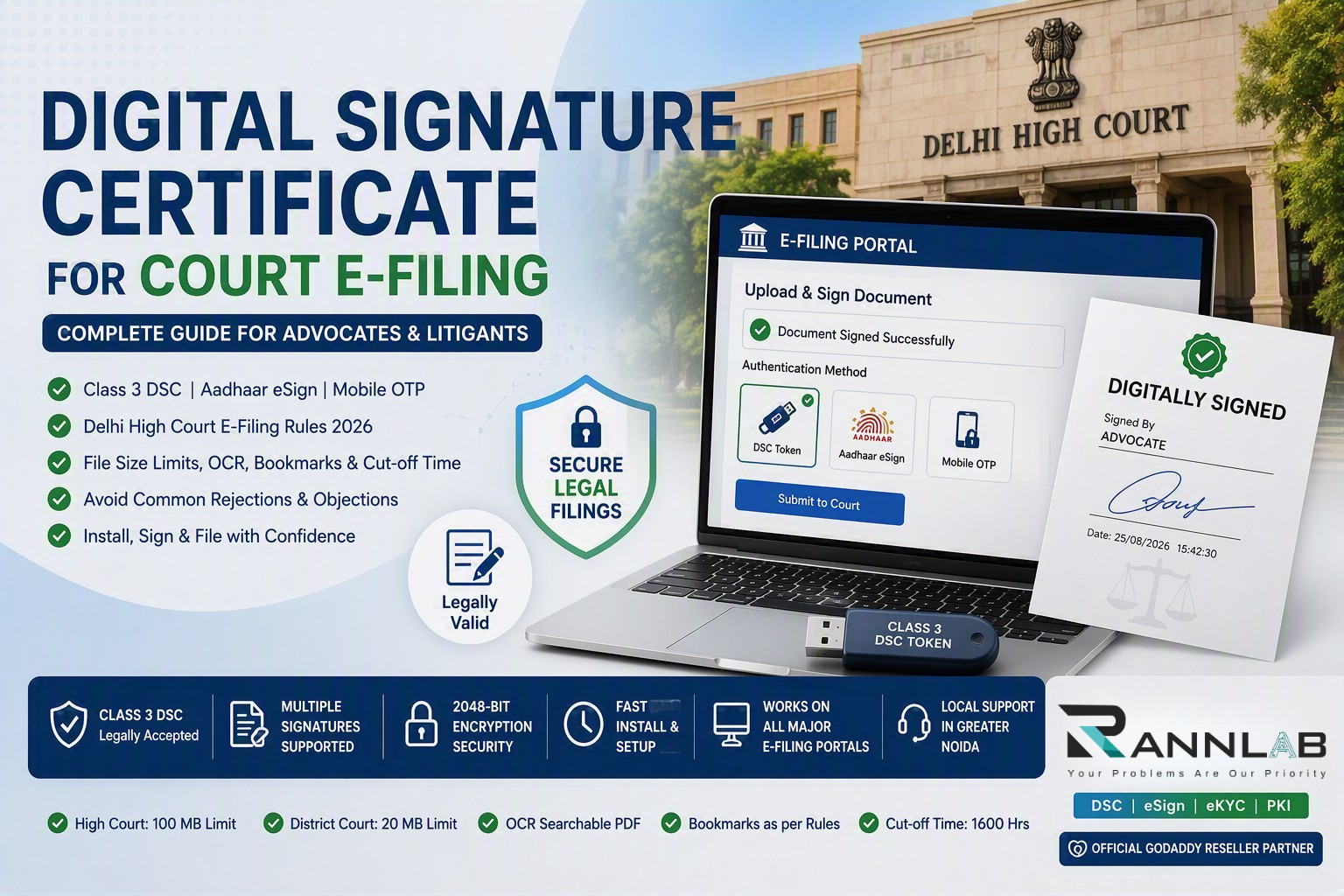
A digital signature certificate for court e-filing is now the difference between a matter that reaches the cause list and one that bounces back from the Registry. Under the Delhi High Court’s e-filing rules, every PDF filed electronically must be digitally signed by the party, the advocate, or both — and the objections raised most often are not about the merits of the case at all. They are about signatures, file size, bookmarking and OCR.
This guide sets out exactly what the rules require of a digital signature certificate, the three authentication methods available, and how to stop your filings being rejected on technical grounds.
What the e-filing rules say about the digital signature certificate
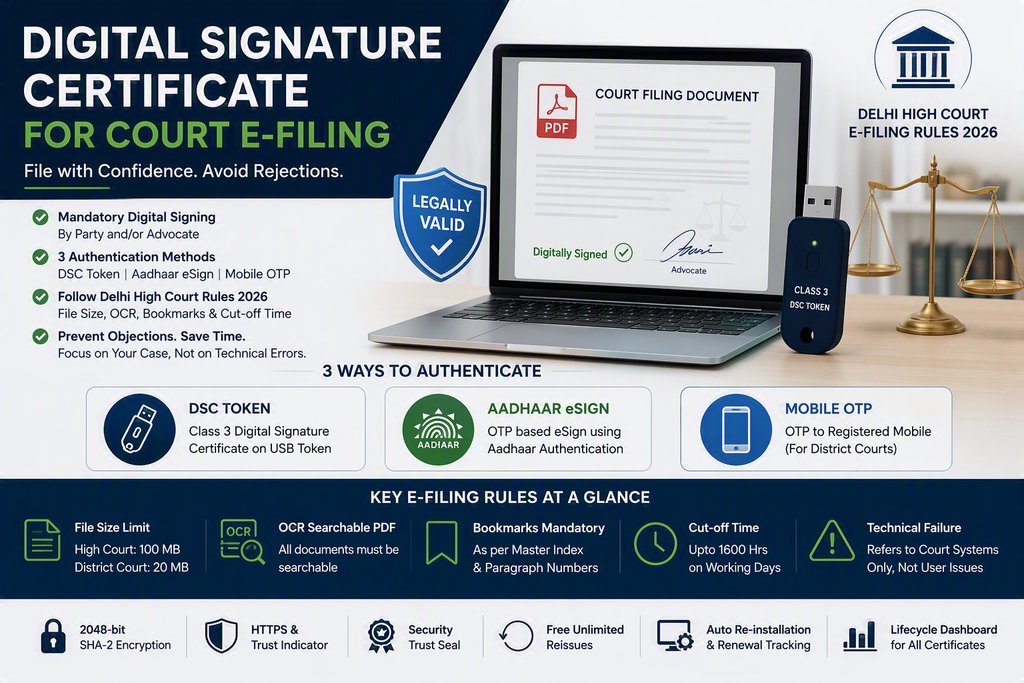
The rule is stated plainly: the PDF document shall be digitally signed either by the parties and/or by their advocate, with the signatures appended at the places prescribed under the extant rules.
There is a fallback, and it is deliberately inconvenient. If neither the party nor the engaged advocate possesses a digital signature, the filing must be printed, physically signed, scanned and uploaded. For a chamber filing several matters a week, that is a workflow nobody sustains for long.
Apply digital signature certificate

Class 3 Digital Signature (DSC) – Individual Encryption, 1 Year
₹790.00Class 3 Digital Signature (DSC) – Individual Encryption, 2 Year
₹890.00Class 3 Digital Signature (DSC) – Individual Encryption, 3 Year
₹1,335.00Class 3 Digital Signature (DSC) – Individual Signing & Encryption, 1 Year
₹1,580.00Class 3 Digital Signature (DSC) – Individual Signing & Encryption, 2 Year
₹1,780.00Class 3 Digital Signature (DSC) – Individual Signing & Encryption, 3 Year
₹2,670.00Class 3 Digital Signature (DSC) – Individual Signing, 1 Year
₹790.00Class 3 Digital Signature (DSC) – Individual Signing, 2 Year
₹890.00Class 3 Digital Signature (DSC) – Individual Signing, 3 Year
₹1,335.00
Three ways to authenticate without a digital signature certificate token
At the signing stage of the e-filing portal, three options are available:
| Method | How it works | Best suited to |
|---|---|---|
| DSC token | A Class 3 digital signature certificate on a USB crypto token, applied from your machine | Advocates and firms filing regularly |
| Aadhaar eSign | OTP-based authentication against your Aadhaar, no hardware required | Litigants in person, occasional filers |
| Mobile OTP | One-time password to the registered mobile — available for District Courts | District Court filings only |
The rules are explicit that a litigant in person or advocate who does not possess a digital signature issued by the competent authority can authenticate e-filed documents through Aadhaar-based eSign. For the District Courts, the OTP route is additionally available.
Which should you choose? If you file more than occasionally, a DSC token. Aadhaar eSign depends on OTP delivery and Aadhaar authentication availability at the moment you are filing, which is a poor thing to be relying on at 3:45 PM against a limitation deadline. A token works offline, signs in seconds, and supports multiple signatures on the same document.
Which class of digital signature certificate do you need?
For court e-filing and virtually all statutory filing in India, you need a Class 3 digital signature certificate. Class 2 was discontinued by the Controller of Certifying Authorities, and lower assurance certificates are not accepted for legal filings.
Within Class 3 there are two variants worth understanding:
- Sign only — sufficient for e-filing, MCA, GST and income tax filings
- Sign and encrypt — required for e-tendering and e-procurement portals
Most advocates need sign-only. Firms that also bid for government empanelment or tenders should take the combined certificate, because buying the wrong one means buying twice.
Validity is typically one, two or three years. The three-year certificate is materially cheaper per year and removes two renewal cycles from your calendar.
Beyond the digital signature certificate: what else gets filings rejected
A valid digital signature certificate for court e-filing solves only one of the reasons filings get objected. The rules impose several more, and these are where chambers lose days:
File size. The maximum e-file size is 100 MB for the High Court and 20 MB for District Courts. Exceed the High Court limit and you must attend a Designated Centre to file over the intranet. Exceed the District Court limit and you must either split the file into parts under 20 MB or use the E-Sewa Kendra.
OCR searchable PDF. Text documents and scanned documents must be merged into a single OCR-searchable PDF. A scan of a signed page is an image; without OCR it is not compliant.
Bookmarking. The merged document must be bookmarked as per the Master Index approved by the Registry. Judgments relied on must be bookmarked with the specific paragraph numbers mentioned.
Cut-off time. E-filing through Designated Counters is permitted only up to 1600 hours on a working day.
Technical failure is narrowly defined. The rules define technical failure as a failure of the court’s hardware, software or telecommunications facility. It expressly does not include malfunctioning of the equipment of the person submitting the file. Your expired certificate, your dead token, your unreadable driver — none of these are the court’s problem, and none will extend a limitation period.
That last point deserves emphasis. An expired digital signature certificate on the day of a limitation-barred filing is entirely your risk.
How to get a digital signature certificate
The process is straightforward when it is done properly:
- Choose the certificate type — Class 3, sign-only or sign-and-encrypt, and the validity period
- Complete video KYC — mandatory under CCA norms, done from a mobile phone in a few minutes
- Submit identity and address proof — PAN and Aadhaar in most cases
- Receive the USB crypto token, or download to an existing token
- Install the drivers and register the certificate on the machine you file from
- Test on the e-filing portal before you need it, not on the day of a deadline
Issuance typically takes a working day once video KYC is complete. Renewal is not automatic, and the reminder often goes to an address nobody monitors — the single most common cause of a certificate expiring unnoticed.
Common digital signature certificate problems and their real causes
“Signature not valid” on the uploaded PDF. Usually the certificate chain is not trusted on the machine, or the PDF was modified after signing. Sign last, after merging and bookmarking.
Token not detected. Driver mismatch after a Windows update, or a browser that no longer supports the signing applet. Keep one machine configured and tested for filing rather than signing from whichever laptop is nearest.
Multiple signatures failing. The rules contemplate single and multiple signatures on the same document. Each signature must be applied in sequence without the file being altered in between.
Digital signature certificate expired mid-matter. Renew at least thirty days before expiry. There is no grace period.
How RannLab helps law firms and enterprises
RannLab Technologies Pvt. Ltd. builds digital trust infrastructure — eSign, eKYC and PKI systems — for organisations that need authentication to work reliably at scale. We are based in Greater Noida and work with clients across Delhi NCR.
For chambers and law firms, we handle the entire digital signature certificate lifecycle: procurement of Class 3 certificates, video KYC coordination, token configuration on your filing machines, troubleshooting when signatures fail validation, and renewal tracking so a certificate never expires the week of a hearing.
For enterprises, legal departments and platforms that need signing built into their own workflow rather than performed by hand, our team integrates Aadhaar eSign and DSC-based signing directly into applications — with consent capture, audit logging and tamper-evident records. This is the same /services/software-development/ that underpins the compliance platforms we build for regulated sectors.
Get your digital signature sorted before the next deadline
Tell us how many users need certificates, whether you file in the High Court, District Courts or both, and whether you need signing inside your own software. We will come back with the right certificate class, validity and cost, and handle the setup.
Signing 200 PDFs one by one? There is a better way.
If your chamber, legal department or back office signs documents in volume, manual token signing is costing you hours every week. We build bulk PDF signing with DSC tokens, HSM and Aadhaar eSign — automated, audit-logged and legally valid.
- Sign hundreds of PDFs in a single batch
- DSC token, HSM & Aadhaar eSign support
- API integration into your existing software
- Tamper-evident audit trail on every document
RannLab Technologies Pvt. Ltd. — Greater Noida, Delhi NCR. eSign · eKYC · PKI · Enterprise Software.
Frequently Asked Questions
Is a digital signature certificate mandatory for court e-filing?
Effectively yes. The rules require e-filed PDFs to be digitally signed by the party and/or advocate. The only alternatives are Aadhaar-based eSign, mobile OTP for District Courts, or printing, physically signing and scanning the document.
Which class of digital signature certificate is needed for e-filing?
Class 3. Class 2 certificates were discontinued by the Controller of Certifying Authorities and are no longer accepted for legal and statutory filings.
Can I e-file without a DSC token?
Yes. A litigant in person or an advocate without a digital signature can authenticate e-filed documents using Aadhaar-based eSign. For District Courts, authentication via OTP to the registered mobile is also permitted.
What is the maximum file size for e-filing?
100 MB for the High Court and 20 MB for District Courts. Larger High Court files must be filed from a Designated Centre over the intranet; larger District Court files must be split or filed through the E-Sewa Kendra.
How long does it take to get a digital signature certificate?
Typically one working day after video KYC is completed, plus delivery time for the USB token if you do not already have one.
What happens if my digital signature certificate expires before a filing?
The filing cannot be signed until it is renewed. The rules define technical failure as a failure of the court’s systems and expressly exclude malfunctioning of the filer’s own equipment, so an expired certificate will not excuse a missed deadline.
Does the same certificate work for MCA, GST and income tax filings?
A Class 3 sign-only certificate covers most statutory filings including MCA, GST and income tax. E-tendering and e-procurement portals generally require a sign-and-encrypt certificate.
