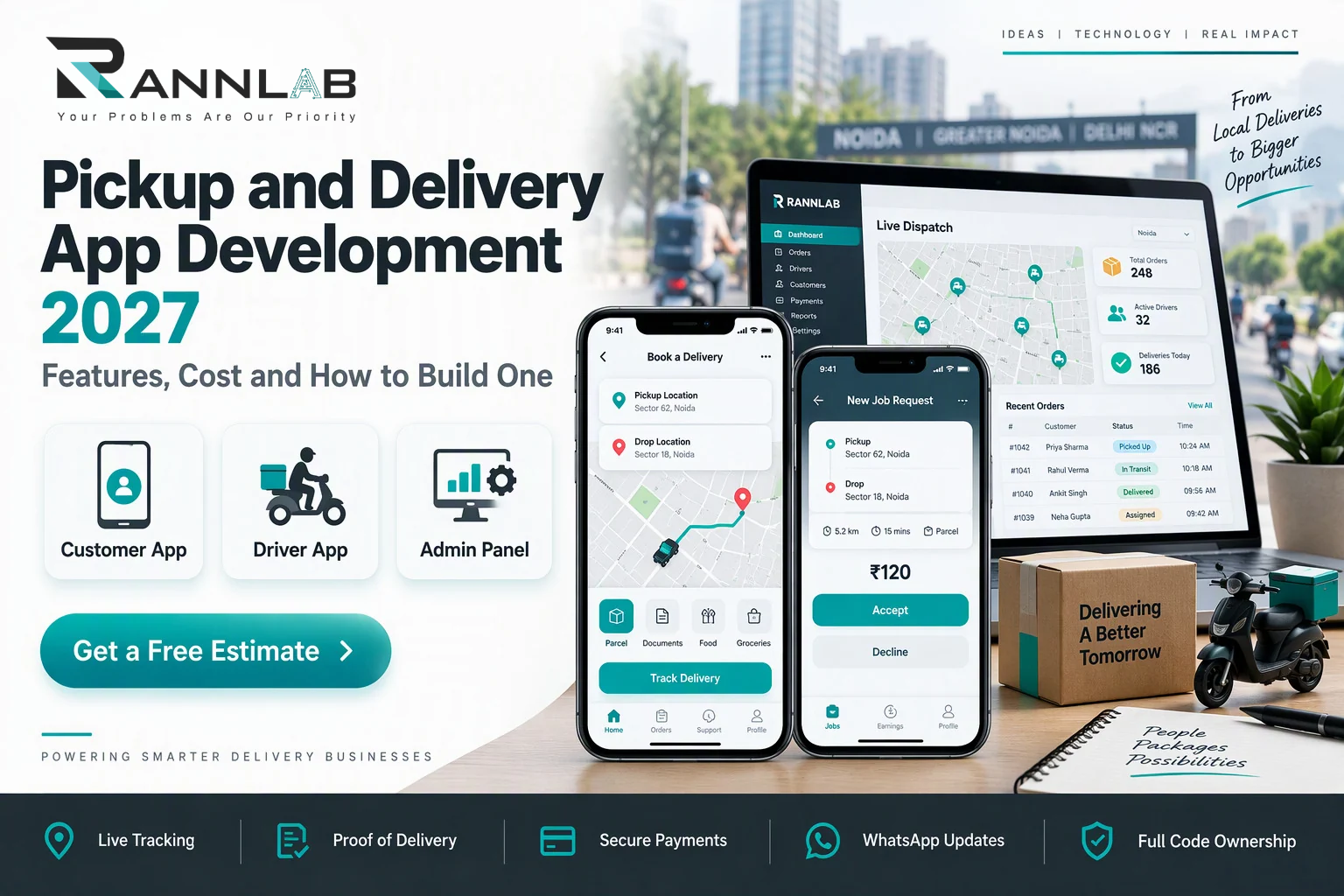
Pickup and delivery app development means building a connected system, usually a customer app, a driver app and an admin panel, that lets people book a pickup, track it live and confirm delivery. In India, pickup and delivery app development cost typically starts around ₹6–15 lakh for an MVP, ₹15–35 lakh for a full platform, and ₹35 lakh or more for an advanced multi-city system.
A courier app looks simple on the customer’s screen: enter two addresses, see a price, watch a rider arrive. Behind it sits a dispatch engine, live location, payments and a control room. That is why two quotes for the “same app” can differ by ₹20 lakh.
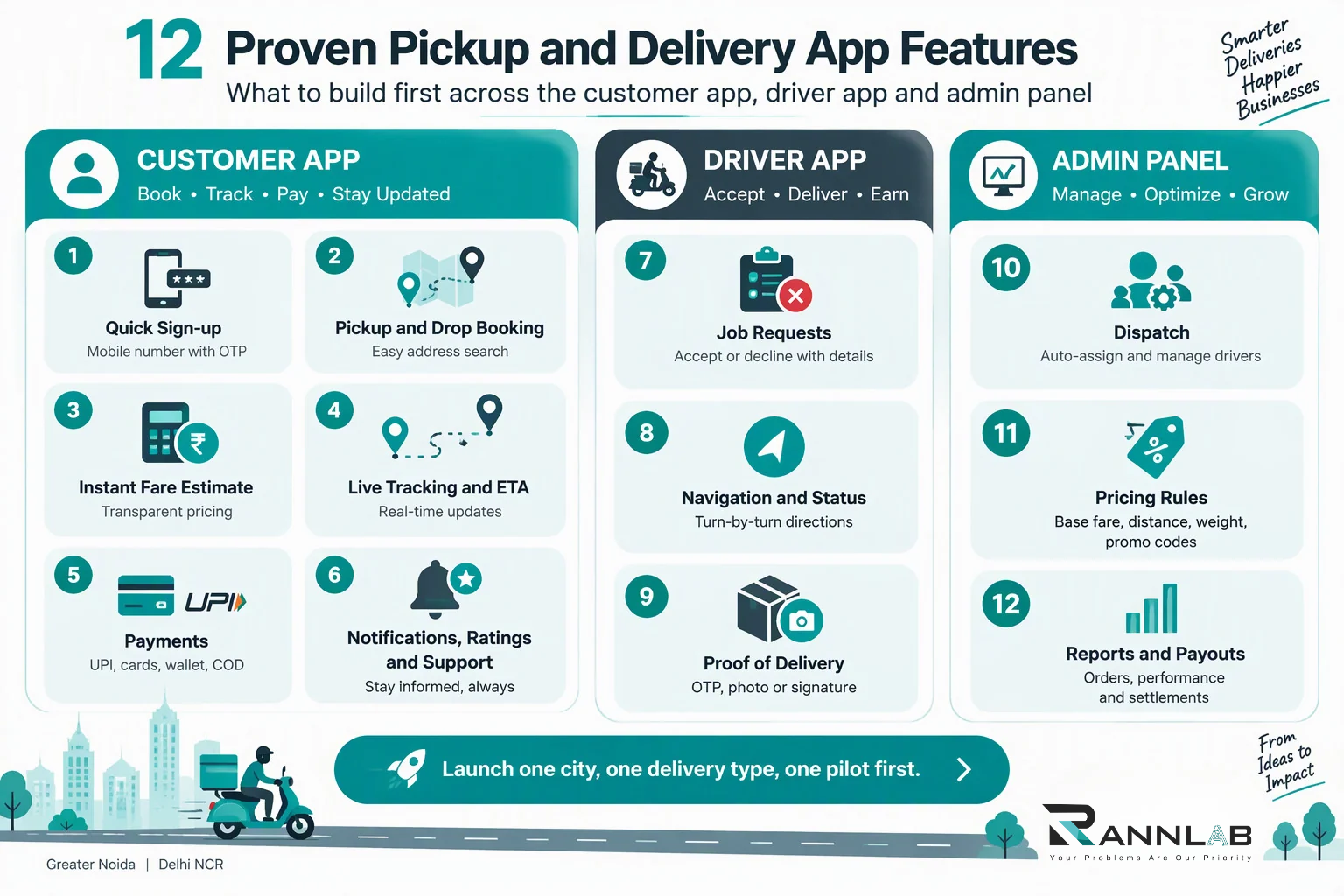
This pickup and delivery app development 2027 guide covers what to build, the 12 pickup and delivery app features that matter first, what it costs, and how to choose a pickup and delivery app development company. For budgets across every project type, see our software development cost in India guide.
At a glance
- Typical budget: ₹6–15 lakh for an MVP, ₹15–35 lakh for a full platform
- Timeline: 3–5 months for an MVP, 5–8 months for a full platform
- Core parts: customer app, driver app and admin panel
- Build first: booking, fare estimate, driver assignment, live tracking, proof of delivery and payments
- Costs people forget: maps, SMS and payment fees, hosting, and 15–25% yearly maintenance
- Privacy: location and address data fall under India’s DPDP Rules
- Best start: one city, one delivery type and one pilot
What Is a Pickup and Delivery App?
A pickup and delivery app connects a person or business that needs something moved with a driver who can move it. The sender books a pickup, the system finds a driver, the driver collects the item and delivers it, and everyone sees the status in real time.
The same engine powers many businesses: courier and parcel services, “send anything” hyperlocal delivery, e-commerce last-mile delivery, grocery and pharmacy delivery, laundry pickup and returns pickup. Pickup and delivery app development for each looks similar underneath. The differences are pricing rules, item types and proof requirements.
How a booking flows through the app
- The sender enters pickup and drop addresses, item details and a time.
- The app shows an instant fare estimate.
- The sender pays online or chooses cash on delivery.
- Dispatch assigns a nearby driver, automatically or manually.
- The driver accepts, collects the item and confirms pickup.
- The customer tracks the driver on a live map.
- The driver delivers and captures proof, such as an OTP, photo or signature.
- Payment settles, and both sides rate the trip.
Pickup and Delivery App Development by Business Type
| Business type | What moves | What the app must handle |
|---|---|---|
| Courier and parcel companies | Documents and parcels | Pricing by distance and weight, multi-stop trips, proof of delivery |
| Hyperlocal “send anything” startups | Anything within a city | Instant booking, fast driver matching, live tracking |
| E-commerce and D2C brands | Orders and returns | Bulk upload, route batching, return pickups |
| Grocery, pharmacy and food businesses | Time-sensitive orders | Slot booking, short ETAs, OTP delivery |
| Laundry and service businesses | Items picked up and returned | Scheduled pickups, status stages, reminders |
| B2B and fleet operators | Goods and bulk deliveries | Fleet and vehicle management, invoicing, reports |
The Three Parts of a Pickup and Delivery App
| Part | Who uses it | Core job |
|---|---|---|
| Customer app | Senders and receivers | Book, see the price, pay, track and rate |
| Driver app | Riders and drivers | Accept jobs, navigate, capture proof and see earnings |
| Admin panel | Your operations team | Dispatch, pricing rules, users, payouts and reports |
| Business dashboard (optional) | Merchants and enterprise customers | Bulk orders, invoices and API access |
Don’t skip the admin panel to save money in your pickup and delivery app development budget. Without it, your team runs the business from WhatsApp groups and spreadsheets again.
12 Proven Pickup and Delivery App Features
Don’t start with a long wish list. These 12 pickup and delivery app features cover most successful launches.
Customer app
- Quick sign-up. Mobile number with OTP, a simple profile and saved addresses.
- Pickup and drop booking. Map pin or address search, item details, weight or size, and a time slot.
- Instant fare estimate. A price shown before the customer confirms, based on your pricing rules.
- Live tracking and ETA. A map showing the driver’s position and a clear status for each stage.
- Payments. UPI, cards, wallet and cash on delivery, with receipts.
- Notifications, ratings and support. Push, SMS and WhatsApp updates, plus a way to rate the trip and raise an issue.
Driver app
- Job requests. Accept or decline with a countdown, pickup and drop details, and a clear earnings view.
- Navigation and status. One-tap hand-off to a maps app and simple buttons for reached, picked up, in transit and delivered.
- Proof of delivery. OTP, photo or signature, with a timestamp and location, so disputes are easy to settle.
Admin panel
- Dispatch. Auto-assign by distance and availability, with a manual override for exceptions.
- Pricing rules. Base fare, per-kilometre rates, weight, time slots, promo codes and surge pricing.
- Reports and payouts. Orders, cancellations, driver performance, earnings and settlements.
Features worth adding later
Plan for these in your pickup and delivery app development roadmap, but don’t build them first:
- AI route optimization and multi-stop batching
- Scheduled and recurring pickups
- A business API with webhooks for merchants
- Dynamic pricing based on demand
- Driver document verification and onboarding workflows
- Fleet and vehicle management
- Documentation for freight use cases, such as e-way bills, where your business needs them
Pickup and Delivery App Development Cost in India (2027)
Pickup and delivery app development cost depends mainly on scope. Here are planning budgets you can use to shortlist a partner:
| Tier | What you get | Planning budget | Typical timeline |
|---|---|---|---|
| Basic MVP | Customer app, driver app and admin panel for one city and one delivery type, with live tracking, OTP proof of delivery and online payments | ₹6 – ₹15 lakh | 3–5 months |
| Full platform | The MVP plus multiple vehicle types, pricing rules, wallet, ratings, WhatsApp updates, reports, payouts and a business dashboard | ₹15 – ₹35 lakh | 5–8 months |
| Advanced platform | The full platform plus AI route optimization, multi-stop batching, multi-city operations, a business API, fleet management and deeper analytics | ₹35 lakh+ | 8–12 months |
These are planning estimates for scope, not quotes. Published delivery-app guides vary widely, so ask every vendor to price the same written feature list.
What moves the cost
Your pickup and delivery app development cost rises or falls with these factors:
- Number of apps. A customer app plus a driver app plus an admin panel is three products, not one.
- Platforms. Cross-platform frameworks usually cost less than building separate native apps.
- Real-time features. Live tracking for many drivers at once needs a stronger backend than a simple booking app.
- Dispatch logic. Manual assignment is cheaper than auto-assign, and auto-assign is cheaper than AI-based optimization.
- Integrations. Maps, payment gateways, SMS, WhatsApp and accounting each add build and test time.
- Design. A template-based UI is affordable. A custom design system costs more.
- Compliance. Handling personal and location data needs access control, audit logs and consent flows.
- Team seniority. A senior team costs more per hour but usually needs fewer rewrites.
Maps, SMS and payments: the costs people forget
A quote from a pickup and delivery app development company should also cover, or clearly exclude, these running costs:
- Maps and routing. Google’s Routes API bills per request, and its route-matrix feature bills per element, which is the number of origins multiplied by the number of destinations. Google also lets you set daily quota limits to avoid surprise bills. Check the current India pricing list, which includes free monthly usage per SKU, and ask your developer to estimate maps cost for your expected orders per day.
- Payment gateway fees. Charged per transaction, so they grow with your volume.
- SMS and WhatsApp messages. Charged per message or conversation, depending on the provider.
- Hosting and monitoring. Costs rise with active drivers, orders and tracking frequency.
- Maintenance. Budget about 15–25% of the build cost every year for fixes, OS updates and improvements.
- App store accounts. Apple and Google charge developer fees, so check the current amounts before launch.
- Operations. Driver onboarding, support and payouts are business costs, not software costs, but they decide whether the app succeeds.
Pickup and Delivery App Development 2027: What to Plan For
For pickup and delivery app development 2027 planning, these are practical points to build into your brief. They are planning judgments, not market statistics, so validate them with your own operations data:
- Start with one city and one use case. A tight pilot teaches you more than a wide launch.
- Make WhatsApp part of the flow. Customers already check it, so send booking and delivery updates there using the official WhatsApp Business Platform.
- Design for the driver. If the driver app is slow, drains the battery or fails on a weak network, drivers leave, and your service stops.
- Build privacy in from day one. Treat consent, access control and data retention as core features.
- Automate in phases. Start with manual dispatch, move to auto-assign, then add route optimization when your order volume justifies it.
- Go cross-platform first. It cuts cost and time, unless you need heavy background location behaviour that pushes you toward native.
Tech Stack for Pickup and Delivery App Development
There is no single correct stack for pickup and delivery app development. This table shows common choices and what to ask your team.
| Layer | Common options | What to ask |
|---|---|---|
| Mobile apps | Flutter, React Native, or native Kotlin and Swift | How will background location and battery use be handled? |
| Backend and APIs | Node.js or .NET | How will it scale when orders and drivers grow? |
| Real-time updates | WebSockets or Firebase | How is live tracking kept fast and cheap? |
| Database | PostgreSQL or MongoDB, with location queries | How are location history and old data stored? |
| Maps and routing | Google Maps Platform, Mapbox or open-source map services | How will usage cost be controlled? |
| Payments | Razorpay, PayU, Cashfree or similar | Are payments verified on the server? |
| Notifications | Push, SMS and WhatsApp | What happens when a message fails? |
| Cloud | AWS or Azure with monitoring and backups | What are the uptime and recovery plans? |
On payments, Razorpay’s quick integration guide follows the standard pattern: create an order on your server, pass it to checkout, then verify the payment signature on the server. A developer who skips server-side verification leaves a gap in your payments.
Privacy and DPDP in Pickup and Delivery App Development: Addresses and Location Data
In pickup and delivery app development, you handle a lot of personal data. A pickup and delivery app stores phone numbers, addresses, item details and, for drivers, location and identity documents. India notified the Digital Personal Data Protection Rules in November 2025, and most obligations phase in over the following 12 to 18 months. You can read the official text on the MeitY DPDP Rules page.
Ask your developer how the app will handle:
- Consent and clear privacy notices for customers and drivers
- Tracking a driver’s location only while a job or shift is active
- Role-based access, so staff see only what they need
- Audit logs for sensitive actions
- How long location history and delivery records are kept
- Breach detection and response
Build Custom, Use a Clone Script, or Go White-Label?
| Option | Best for | Watch out for |
|---|---|---|
| Custom build | A unique workflow or a long-term product | Higher upfront cost and a longer build |
| Clone script or white-label app | A quick pilot to test demand | Limited customization, unclear code ownership, scaling and security gaps |
| Phased custom build | Most startups | Needs discipline to keep the first release small |
Ready-made scripts can launch faster, but check source code ownership, licence terms, security and how far they scale before you rely on one. For most pickup and delivery app development projects, a phased custom build gives the best balance.
How to Choose a Pickup and Delivery App Development Company
Judge every pickup and delivery app development company on three filters: proof, process and paper.
- Proof. Ask to see a live app with both the customer side and the driver side, not just screenshots. Speak to a past client.
- Process. Ask how they handle live tracking at scale, how they control maps cost, and how the driver app behaves on a weak network.
- Paper. The contract should state the scope, payment milestones, source code ownership and support terms.
Questions to ask before you sign:
- Can you show a live pickup and delivery app with a driver app?
- How will you handle live tracking when many drivers are active?
- How will you keep maps and routing cost under control?
- What happens when a driver loses network mid-trip?
- How do you test on real, budget Android devices?
- How will you handle DPDP requirements for location data?
- Who owns the source code, cloud accounts and app store accounts?
- What support do we get after launch, and for how long?
For the full vendor checklist, read our guide on how to choose a software development company in Noida.
How to Start Without Overspending
Pickup and delivery app development works best in small, testable steps:
- Pick one city and one delivery type. Do not launch everywhere at once.
- Write a one-page brief. Users, pickup and drop rules, pricing logic, integrations and your target date.
- Build the MVP. Booking, fare estimate, dispatch, live tracking, proof of delivery and payments.
- Run a pilot with a small group of drivers. Watch where bookings fail.
- Add features based on real usage. Add route optimization, business APIs and more cities only when the pilot shows demand.
Planning a mobile-first build? See our React Native app development cost guide for how cross-platform choices change your budget.
How RANNLAB Fits, and How to Test Us
RANNLAB Technologies is a Greater Noida software company building software since 2013. Our mobile app development services cover native, Flutter and React Native apps, with Node.js and .NET backends, admin dashboards and payment integrations. Our custom software development team builds the APIs and admin systems behind them.
You can also read our step-by-step guide, How To Build An On-Demand Pickup And Delivery App?, for a deeper look at business models and growth.
As a pickup and delivery app development company, we’d rather you test us than take our word for it. Put the same questions to us that you’d put to anyone: who will work on our project, what will the first release include, who owns the code, and how will changes be priced?
Frequently Asked Questions
What is pickup and delivery app development?
It is the design and build of the apps and systems that let customers book pickups, drivers fulfil them and your team manage the operation. A typical system has a customer app, a driver app and an admin panel.
How much does pickup and delivery app development cost in India?
Pickup and delivery app development cost starts around ₹6–15 lakh for an MVP, ₹15–35 lakh for a full platform and ₹35 lakh or more for an advanced multi-city system. These are planning estimates, so ask for a phase-wise quote.
How long does it take to build a pickup and delivery app?
An MVP usually takes about 3–5 months, a full platform 5–8 months, and an advanced platform 8–12 months. Timelines depend on scope and how quickly decisions are made.
What features should a pickup and delivery app have?
The core pickup and delivery app features are booking, instant fare estimate, live tracking, payments, notifications, driver job requests, proof of delivery, dispatch, pricing rules and reports. Add route optimization and business APIs later.
How do I choose a pickup and delivery app development company?
Ask to see a live app including the driver side, check how the team handles live tracking and maps cost, and confirm in writing that you own the source code. Compare 3 to 5 companies on proof, process and paper.
What should I plan for in pickup and delivery app development 2027?
Plan a one-city pilot, WhatsApp updates, a driver-friendly app, DPDP-ready data handling and phased automation. Treat these as planning points to validate against your own operations.
Do I need separate apps for customers and drivers?
Usually yes. Customers and drivers need different screens and permissions, so most platforms build two apps plus an admin panel.
Will Google Maps charges add to my cost?
Yes. Maps and routing usage is billed separately from development, and it grows with orders and tracking frequency. Ask your developer to estimate it and set quota limits.
Can I use a clone script instead of custom development?
You can for a quick pilot, but check code ownership, customization limits, security and scaling first. Many businesses start on a clone and move to a custom build once demand is proven.
Does a pickup and delivery app need to follow DPDP rules?
If it stores personal data of people in India, such as phone numbers, addresses or driver location, you should plan for DPDP from the start. Ask how consent, access control, retention and breach response are handled.
Get a Pickup and Delivery App Estimate From RANNLAB
Tell us your city, delivery type and target launch date for your pickup and delivery app development project. We’ll suggest the smallest version worth launching and share a phase-wise estimate, with no obligation.
Get your pickup and delivery app estimate →
Prefer a quick chat? Message us on WhatsApp.
