
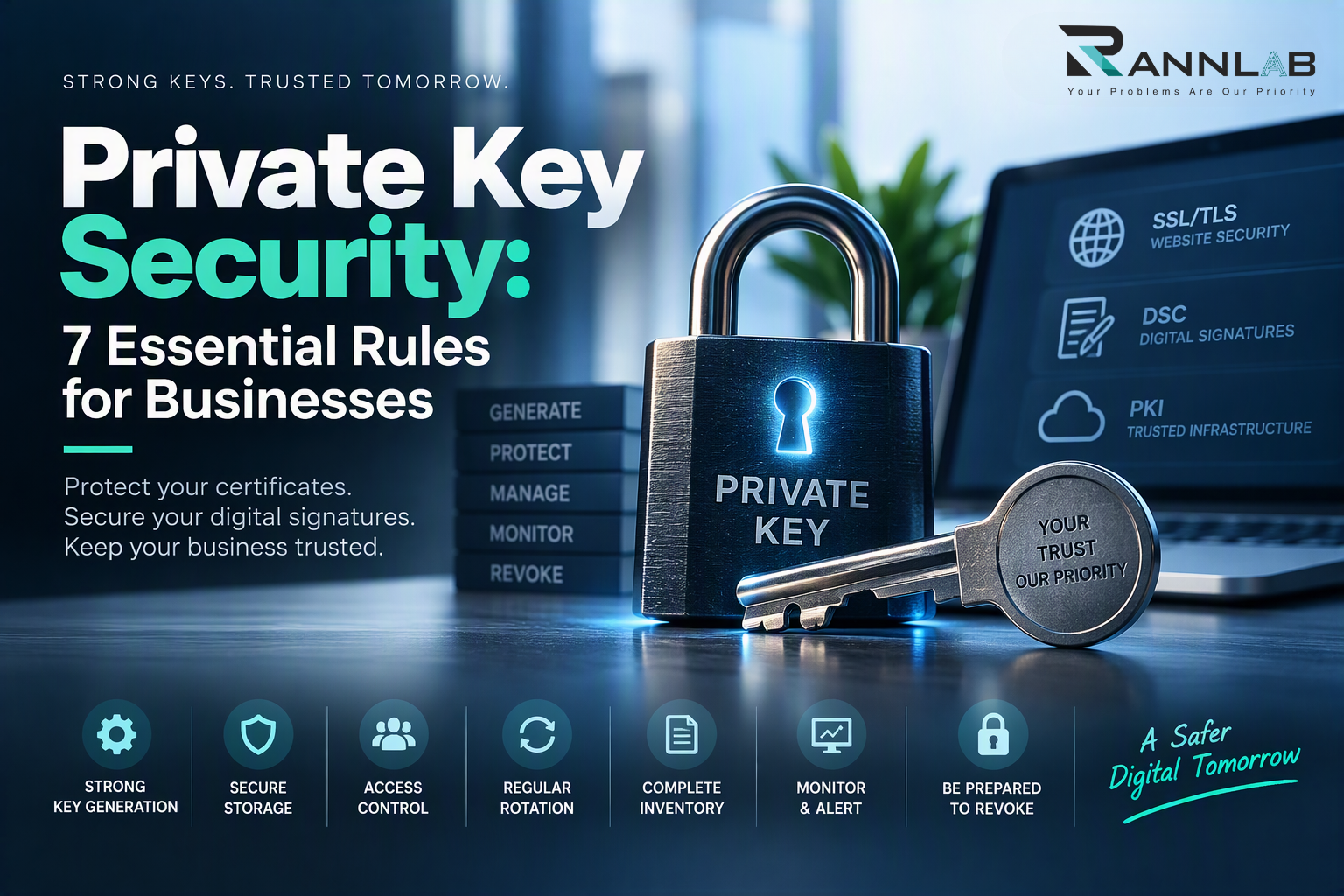
Private key security is the foundation of every digital certificate, digital signature and HTTPS connection. When a private key is weak, stolen or carelessly stored, everything built on it stops being trustworthy. The recent eMudhra private key compromise showed how one flaw in key generation can make browsers block certificates across the internet. This guide explains how PKI works and gives you 7 rules to protect your keys.
Why private key security matters
Every digital certificate depends on a key pair: a public key and a private key. The public key is shared openly inside your certificate. The private key must stay secret, because it proves your identity.
Whoever holds your private key can act as you. They can sign documents in your name, impersonate your website or decrypt protected data. That is why private key security matters more than almost any other part of your certificate setup.
How PKI works in simple terms
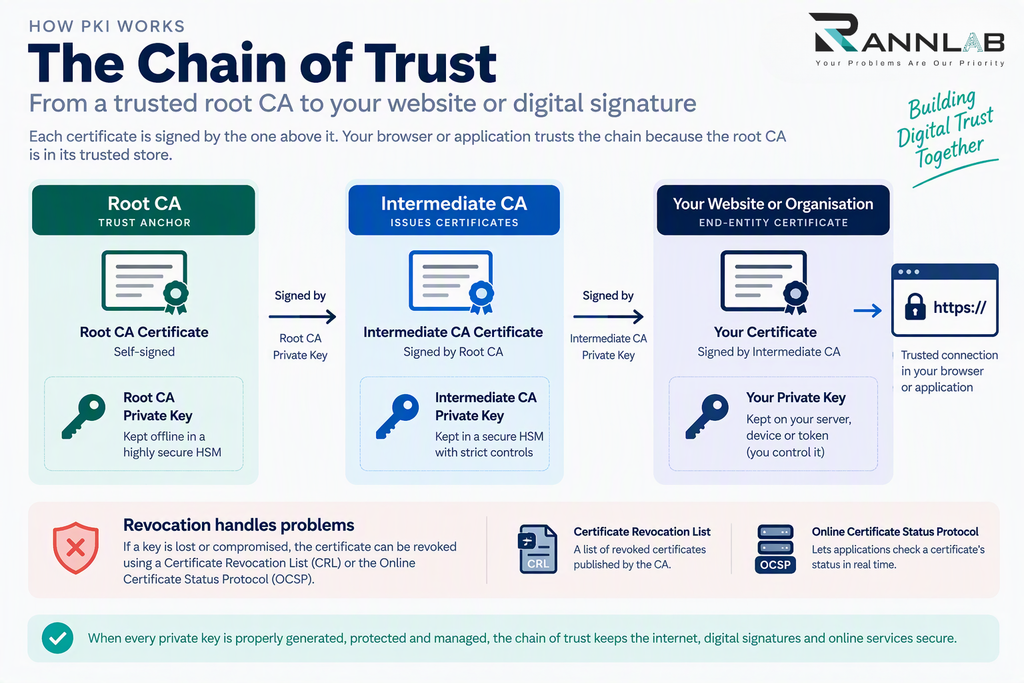
PKI (public key infrastructure) is the system that lets strangers trust each other online. It works in four steps:
- A key pair is created. The private key stays with the owner, and the public key goes into a certificate request.
- A certificate authority (CA) verifies identity. After checking who you are, the CA signs your certificate with its own private key.
- A chain of trust links it all. Your certificate is signed by an intermediate CA, which is signed by a root CA. Browsers and operating systems keep a list of trusted roots.
- Revocation handles problems. If a key is lost or compromised, the certificate can be revoked, using methods such as CRLs and OCSP.
The chain is only as strong as its weakest private key. If an intermediate CA’s key is compromised, an attacker could issue convincing fake certificates. That is why private key security at the CA level matters just as much as it does for your own keys.
7 rules for strong private key security
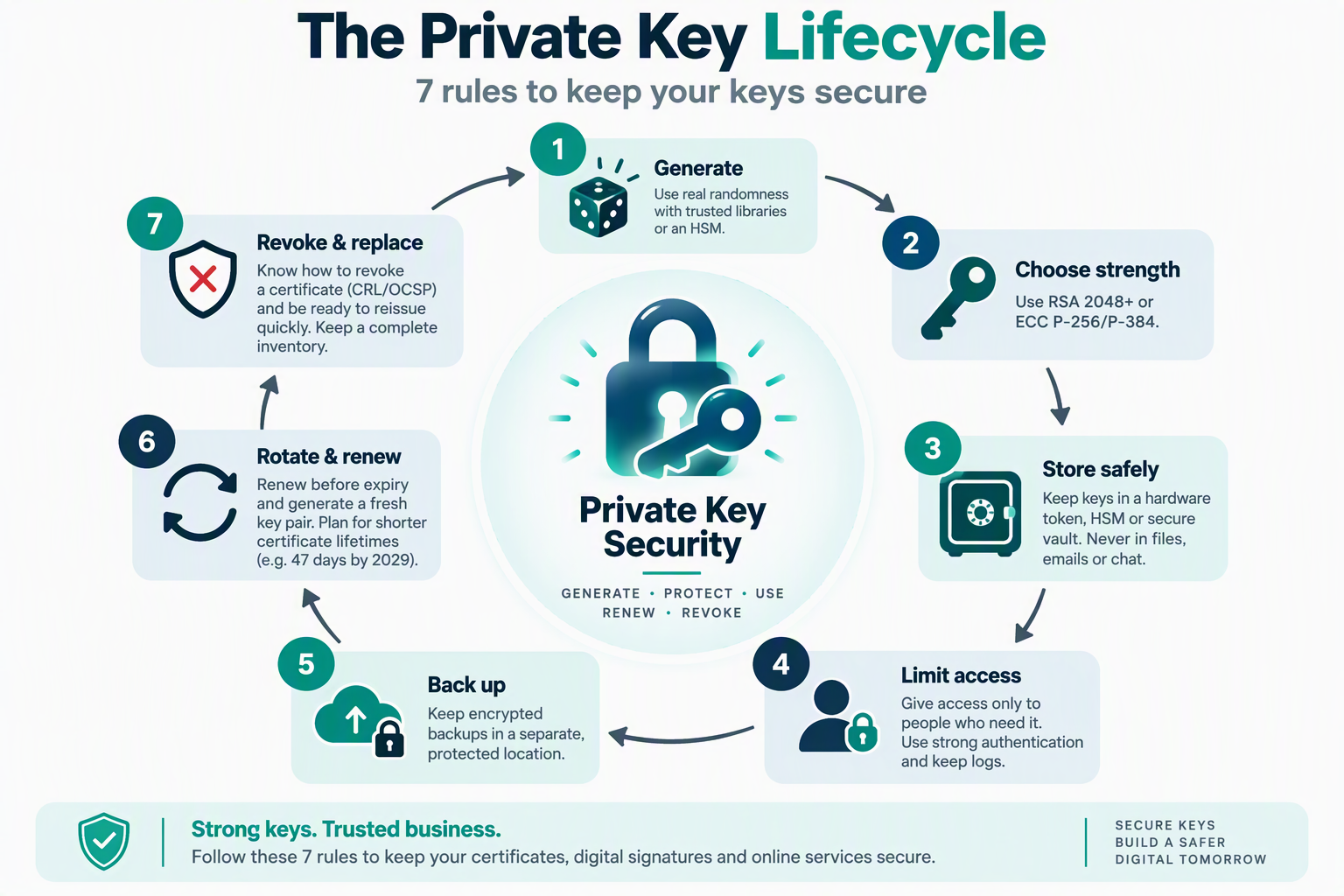
1. Generate keys with real randomness
A key is only strong if it is unpredictable. Use trusted, well-tested cryptographic libraries or hardware to generate keys. Avoid home-made scripts, and check outputs wherever you can.
2. Use strong key lengths and algorithms
Use RSA keys of at least 2048 bits, and 4096 bits for long-lived or high-value uses. Elliptic-curve keys such as P-256 or P-384 are also accepted. Key-strength guidance is set out in NIST SP 800-57 and the CA/Browser Forum Baseline Requirements.
3. Store keys in protected places
Good private key security means keys live in a hardware token, an HSM or a protected vault, never in emails, chat messages, shared folders or desktop files. A tool like CertVault keeps your certificates and keys in one managed place.
4. Limit who can access a key
Give access only to people who need it. Use strong authentication, and keep logs showing who used a key and when.
5. Back up keys safely
Back up keys in encrypted form and store the backup in a separate, protected location. An unencrypted backup is a second copy that attackers can steal.
6. Rotate and renew on time
Renew certificates before they expire, and generate a fresh key pair if you suspect a problem. The industry is moving toward shorter certificate lifetimes, so a habit of regular renewal will save you trouble.
7. Plan for revocation and replacement
Know how to revoke a certificate and how quickly you can replace it. Keep an inventory of every certificate, its issuer, its expiry date and where its key is stored. When an incident hits, the businesses with a complete inventory recover fastest.
What the eMudhra incident teaches us about private key security
Reports on the eMudhra incident describe CA keys that were tiny numbers rather than long random ones. eMudhra attributes the problem to a flaw in an April 2025 key generation process, including human error. You can read the full story in our eMudhra private key compromise guide.
Three lessons stand out:
- Private key security starts at generation. A key created badly cannot be fixed later by storing it well.
- Check your results. Independent verification of generated keys catches errors that scripts and routine processes miss.
- Don’t depend on a single CA. Keep the ability to reissue certificates from another CA quickly.
Private key security checklist for DSC holders
- Keep your token PIN secret and never share your token.
- Unplug the token when you are not signing.
- Install token software only from your certifying authority.
- Report a lost or stolen token and ask for revocation straight away.
- Use your DSC only on trusted devices. For basics, see our digital signature certificate guide.
Private key security checklist for website owners
- Keep a full inventory of certificates and renewal dates.
- Restrict server file permissions on key files.
- Never reuse one private key across many servers.
- Monitor certificate transparency logs for certificates you did not request.
- Keep browsers, operating systems and server software updated.
- Automate renewals where possible.
How Rannlab supports private key security
Every certificate we issue uses a minimum 2048-bit key, and where the use case and platform support it, we use 4096-bit keys. These sizes align with the guidance in NIST SP 800-57, FIPS 186-4 and the CA/Browser Forum Baseline Requirements. Private keys are stored server-side in our secured environment, and our CertVault utility helps you manage your certificates and their keys in one place. Explore our PKI and digital trust solutions to see how we can help your business.
Need help with private key security?
Rannlab can audit your certificates, review how your keys are stored and set up secure servers on the cloud.
- Book a free certificate chain check
- Explore our DSC and SSL products
- See our cloud and server setup services
Frequently asked questions
What is private key security?
Private key security is the practice of generating, storing, using and replacing private keys in ways that keep them secret and strong.
What happens if a private key is stolen?
The thief can impersonate you or sign in your name. You should revoke the certificate at once and replace it with a new key pair.
How long should a private key be?
Use at least 2048 bits for RSA. For long-lived or high-value uses, 4096 bits or a strong elliptic-curve key is better.
Can I change a private key?
Not in place. You generate a new key pair, get a new certificate for it and revoke the old one.
Is storing keys on a server safe?
It can be, if the server is hardened and the keys are encrypted, access is restricted and activity is logged. Hardware tokens and HSMs add another layer.
