Quick answer: The PHP2Shell patch fixes two critical PHP vulnerabilities (CVE-2026-109618 and CVE-2026-109619) that can let attackers take over a web server without logging in. If RANNLAB manages your project or server, it is already patched, and you don’t need to do anything. If you manage your own hosting, update PHP today, or ask our team to do it for you.
Your website’s safety comes first
When a critical vulnerability is announced, every website owner asks the same three questions: Am I affected? Am I safe? What should I do?
This post answers all three, openly. We explain what PHP2Shell is, exactly what we have done for our managed customers, and the steps you need to take if your website is hosted elsewhere.
What is PHP2Shell?
PHP is the engine behind most websites, including WordPress, WooCommerce, Laravel, Moodle, Magento and many custom business applications. On 21 October 2026, the PHP project released an urgent security advisory for two flaws:
- CVE-2026-109618: An out-of-memory error can corrupt PHP’s request handling.
- CVE-2026-109619: PHP can reuse freed memory across web requests.
Both are rated 9.2 (Critical). According to Qualys Threat Research, attackers can exploit them without logging in, and attack attempts have already been seen in the wild.
What can an attacker do?
- Run their own commands on your server
- Read passwords, session tokens and API keys from server memory
- Steal customer data or install malware
- Crash your website
Updating WordPress or plugins does not fix this. The flaw is in PHP itself, on the server. For a full technical breakdown, read our PHP2Shell vulnerability explainer.
How RANNLAB applied the PHP2Shell patch on every managed server
As a hosting and cloud server provider, we treated PHP2Shell as an emergency and acted the same day the fixes were released.
Our response
- Upgraded PHP on every managed server and project to the patched release:
| PHP branch | Patched version installed |
|---|---|
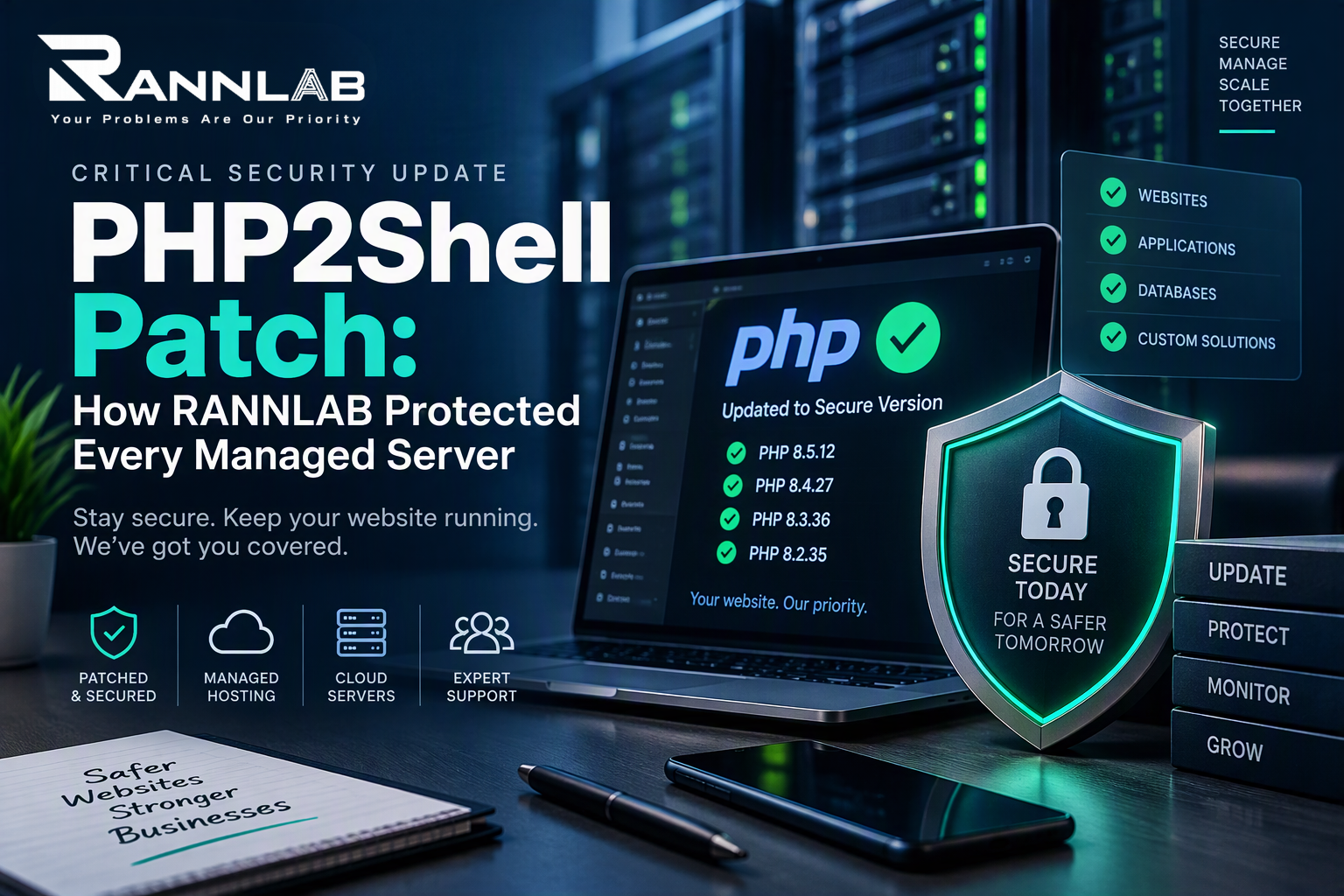
| PHP 8.5 | 8.5.12 |
| PHP 8.4 | 8.4.27 |
| PHP 8.3 | 8.3.36 |
| PHP 8.2 | 8.2.35 |
This PHP2Shell patch is now live on every RANNLAB-managed server.
- Restarted PHP services (PHP-FPM, Apache, LiteSpeed) so the fixed version is actually running, not just installed.
- Checked the live PHP version on every website after patching.
- Tested your applications to make sure websites, forms, payments and logins keep working normally.
- Handled older PHP versions. Where a project still ran PHP 7.4, 8.0 or 8.1, we installed a fixed build or scheduled an upgrade with the client.
- Reviewed server logs for signs of attack, and we keep monitoring.
What this means for you
- ✅ No action needed on RANNLAB-managed servers and projects
- ✅ No extra cost. The PHP2Shell patch is part of our managed service.”
- ✅ We’ll contact you directly if anything ever needs your attention
If anything looks unusual on your website, contact our support team and we will look into it straight away.
Not hosted with RANNLAB? Check your website now
Fixed PHP versions are now available for all major servers, control panels and cloud platforms. If you manage your own hosting, here’s what to do.
Step 1: Check your PHP version
- cPanel or Plesk: Open PHP Version or MultiPHP Manager.
- Your own server: Run
php -v. Also check the version your website uses, as it can be different.
Step 2: Apply the PHP2Shell patch
Upgrade to 8.5.12, 8.4.27, 8.3.36 or 8.2.35 or newer. If PHP comes from Ubuntu, Debian, Red Hat, Amazon Linux, cPanel or CloudLinux, install your vendor’s security update. Backported fixes may keep an older version number, so check your vendor’s advisory.
Step 3: On PHP 7.4, 8.0 or 8.1?
The PHP project has released only limited source fixes for these unsupported versions. Get a fixed build from your vendor, or better still, upgrade to PHP 8.2 or newer. Versions older than 7.4 have no fix and must be upgraded.
Step 4: Restart and confirm
Restart PHP-FPM, Apache or LiteSpeed, then check the running version again.
Step 5: Hosting on AWS?
- Lightsail: AWS cannot patch running instances. Update PHP yourself, or move to a new instance from the updated blueprint.
- Elastic Beanstalk: Update your platform version unless managed updates are turned on.
- EC2 / Amazon Linux: Install the updated packages listed in the Amazon Linux Security Center.
Step 6: Add a firewall while you patch
A web application firewall reduces the risk while you update. On AWS, enable the latest AWS WAF managed rules. A firewall is a temporary shield, not a fix.
Step 7: Check for signs of compromise
Look for unknown PHP files, new admin users, unexpected cron jobs or unusual traffic. If you find anything, change your passwords and API keys, and restore from a clean backup.
Short on time or unsure where to start? Our engineers can patch, verify and secure your server for you, even if it isn’t hosted with us. Get a free PHP security check →
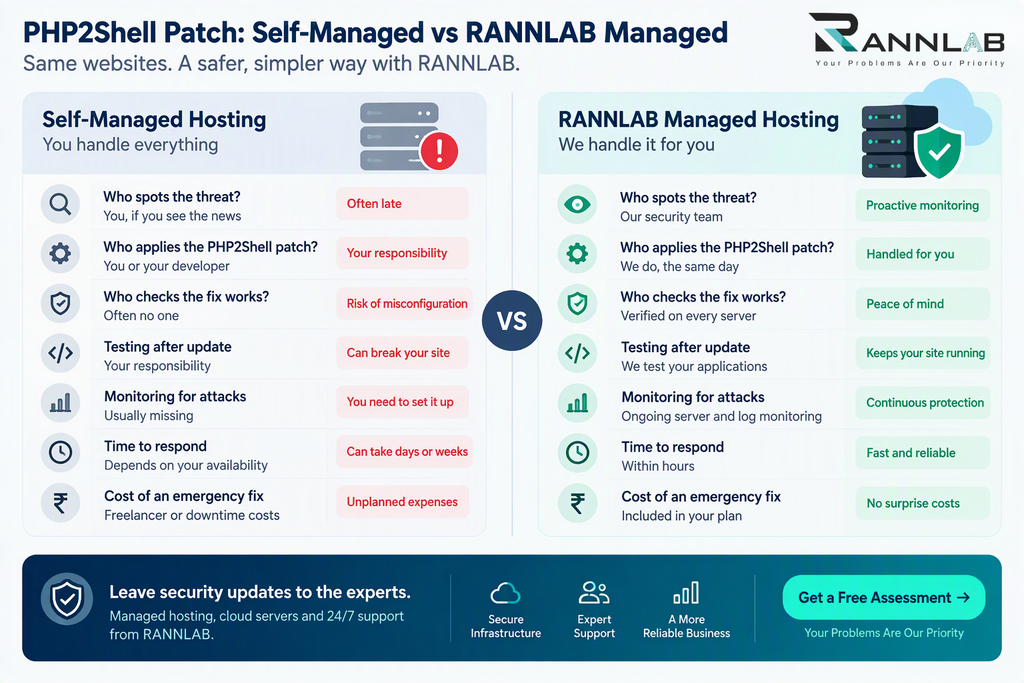
Self-managed vs managed hosting: who applies the PHP2Shell patch?
| Self-managed hosting | RANNLAB managed hosting | |
|---|---|---|
| Who spots the threat? | You, if you see the news | Our security team |
| Who applies the patch? | You or your developer | We do, the same day |
| Who checks the fix works? | Often no one | Verified on every server |
| Testing after update | Your responsibility | Included |
| Monitoring for attacks | Usually missing | Ongoing |
| Cost of an emergency fix | Freelancer or downtime costs | Included in the plan |
Patching isn’t a one-time job. New vulnerabilities are announced every month. Businesses with a managed provider are protected in hours. Others often stay exposed for weeks.
Need help applying the PHP2Shell patch? Get a free PHP security check →
Why businesses trust RANNLAB with hosting and security
- 13+ years building and running web applications for startups, SMEs, enterprises and government organisations
- Experience with regulated, security-critical work, including digital trust, eSign, eKYC and PKI solutions and digital signature certificates
- Security-first engineering. Read our guides on private key security and the eMudhra private key compromise.
- A local team in Greater Noida that you can actually reach when something goes wrong
Move your hosting to RANNLAB without the hassle
Tired of worrying about patches, downtime and security alerts? Let us manage it.
What’s included in RANNLAB managed cloud hosting:
- Security patching for PHP, the operating system and web server
- Server monitoring and uptime alerts
- Automated backups and restore support
- SSL certificate setup and renewal
- Firewall and malware protection
- Performance tuning for WordPress, Laravel and custom PHP apps
- Help from engineers when you need it
Moving is easy:
- Free assessment: We review your current hosting, PHP version and security.
- Migration plan: We share a clear plan, timeline and cost.
- Careful migration: We move your website, database and email with minimal downtime.
- Ongoing management: We patch, monitor and support your setup.
Book a free hosting and security assessment today. Talk to our cloud team → | Explore managed cloud servers →
Frequently asked questions
I’m a RANNLAB managed customer. Do I need to install the PHP2Shell patch myself?
No. We have already upgraded PHP on all managed servers and projects and checked that the fix is running.
How do I know if my website is affected?
If your server runs PHP older than 8.5.12, 8.4.27, 8.3.36 or 8.2.35 without a vendor fix, it is at risk. We can check it for free.
Will updating WordPress fix PHP2Shell?
No. The flaw is in PHP on the server, not in WordPress or its plugins.
Can RANNLAB apply the PHP2Shell patch on a server not hosted with you?
Yes. Our engineers can patch and secure servers on AWS, Azure, DigitalOcean, cPanel hosting or your own infrastructure.
Will moving my hosting to RANNLAB cause downtime?
We plan migrations carefully to keep downtime as short as possible, usually by switching over during low-traffic hours.
Is a firewall enough protection?
No. A firewall reduces the risk while you patch, but updating PHP is the only complete fix.
