If you’ve sat in a board meeting anytime this year, you already know the drill: everyone is asking for AI. The pressure from leadership is relentless. They want you to automate workflows using autonomous agents and generative AI, and they want it deployed yesterday to cut costs and outpace the competition.
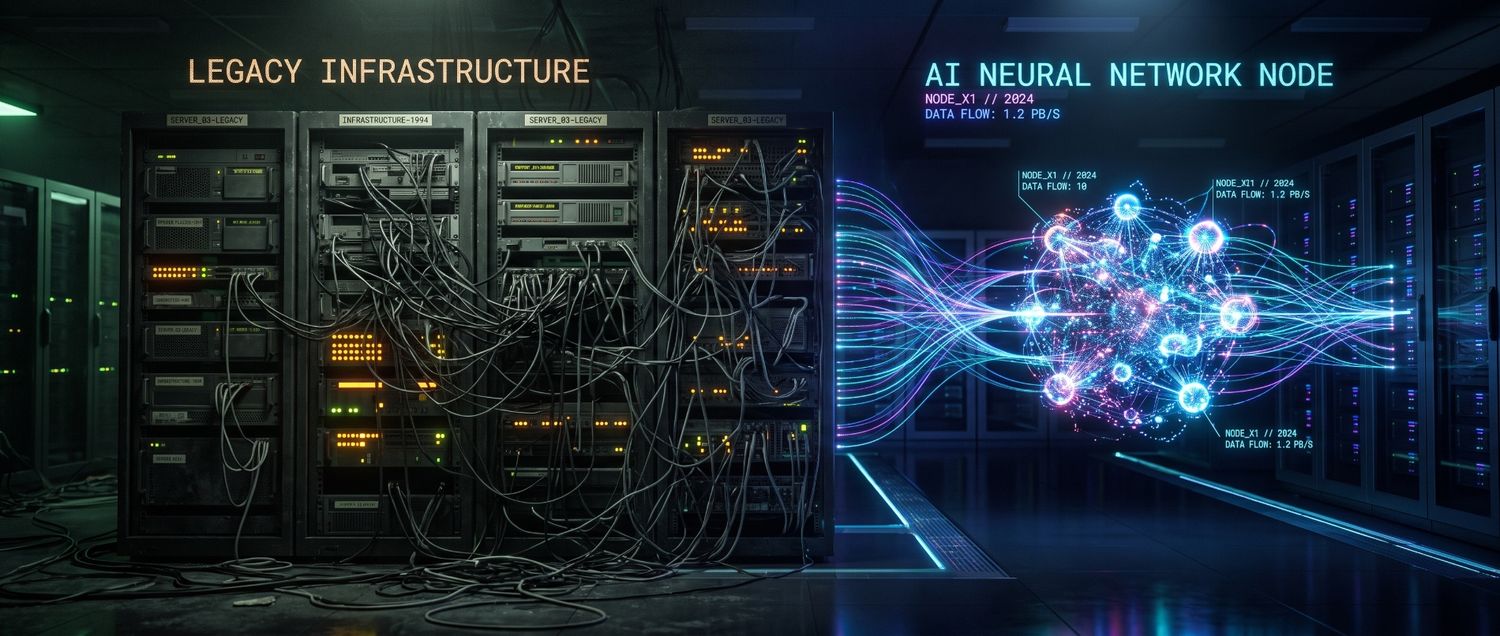
But if you are the one actually responsible for enterprise IT, you know the reality that executives often miss. You can’t just plug a cutting-edge Large Language Model (LLM) into a 15-year-old on-premise mainframe and expect magic.
Enterprise AI needs real-time data, modular connections, and dynamic pathways. Your legacy systems? They likely run on overnight batch processing, rigid architectures, and millions of lines of undocumented code written by developers who retired a decade ago.
Trying to force these two worlds together usually ends in one of two ways: a catastrophic system outage, or a multi-year modernization project that drains your budget and delivers nothing.
The question isn’t whether you should modernize—you have to. The question is how to pull off legacy system modernization safely so you can automate workflows without breaking the systems that currently keep your business running.
Here is the practical, zero-downtime playbook for bringing your legacy tech stack into 2026.
Why Your Mainframe Fights Attempts to Automate Workflows

Before we talk about solutions, let’s look at why your legacy architecture naturally rejects modern AI workflow automation. It comes down to three massive friction points:
- The Real-Time vs. Batch Collision: AI agents thrive on instant context. If an AI is trying to automate workflowslike flagging a fraudulent transaction or routing a VIP customer ticket, it needs data from this exact second. Legacy systems, however, often update their databases just once a day in massive overnight batches. An AI running on yesterday’s data is going to make bad decisions.
- The Monolithic Tangle: Older enterprise apps were built as giant, tightly coupled monoliths. The user interface, the business rules, and the database are all glued together. If you want an AI agent to simply read one table of inventory data, it can’t. It has to interact with the entire massive system, creating horrible performance bottlenecks.
- No APIs, No AI: AI agents use APIs (Application Programming Interfaces) like hands to grasp data and execute tasks. Legacy systems predate modern RESTful APIs. They speak in outdated protocols, flat-file transfers, or direct database queries. To an AI agent trying to automate workflows, your legacy system is basically invisible.
Ready to modernize without the risk?
Don’t let legacy tech block your AI roadmap. Talk to RannLab Technologies’ integration engineers about implementing a zero-downtime API gateway today.
The “Big Bang” Trap

When IT leaders realize how incompatible their old systems are with modern AI, the knee-jerk reaction is often to declare bankruptcy on the old tech. They pitch a “Big Bang” rewrite: Let’s scrap the whole monolith and build a brand new, AI-native cloud platform from scratch!
Don’t do it.
Big Bang rewrites are notorious career-enders. They take years to execute and consume millions of dollars before a single AI feature goes live. Worse, your legacy systems contain decades of undocumented, hyper-specific business logic. When you rebuild from scratch, you inevitably miss those invisible rules, leading to massive operational failures the day you launch.
Instead of burning the house down, you need to remodel it while you’re still living inside.
The Strangler Fig Approach to Automate Workflows safely
If you want to successfully automate workflows without outages, you need to use the Strangler Fig Pattern.
Named after a tree that grows around an older host tree until it eventually replaces it, this software architecture pattern is the secret to zero-downtime modernization. Instead of replacing your entire system overnight, you incrementally wrap, extract, and rebuild specific functions into modern microservices.
The old system keeps humming along, handling the core business, while the new, AI-ready architecture gradually takes over the workload piece by piece. When you use this approach to automate workflows, the business doesn’t even realize the backend has changed until things magically start moving faster.
The 4-Step Playbook for AI Integration

Here is exactly how you execute this transition safely.
1. Wake Up Your ‘Dark Data’
You can’t automate what the AI can’t see
Up to 70% of enterprise data is “dark”—trapped in isolated databases or unstructured formats like old PDFs and email logs. Before deploying AI to automate workflows, you have to build secure data pipelines to extract this information. You don’t need to move everything to the public cloud, but you do need to clean and structure this data (often into a vector database) so your LLMs can actually read and understand it.
2. Build the API Shield
Protect the legacy core
This is the most critical step. You must place an API Gateway between your fragile legacy system and your hungry AI agents. This gateway acts as a translator. When the AI asks for data using modern JSON protocols, the gateway translates it into the old language the mainframe understands. Crucially, the gateway limits traffic so a hyperactive AI agent doesn’t accidentally launch a Denial of Service (DoS) attack on your own servers.
3. Lock Down Identity (Zero Trust)
Never give AI root access
The old “castle and moat” security model doesn’t work when autonomous agents are moving data around. You have to implement a Zero-Trust architecture. AI agents must be given specific, restricted service accounts. If an AI is summarizing HR complaints, it should have absolutely zero technical ability to access the company’s financial ledger. Furthermore, every single move the AI makes must be logged in an immutable audit trail.
4. Keep a Human in the Loop
Trust, but verify
On day one, do not give an AI agent full autonomy over critical systems. If you want to automate workflows for a loan approval process, let the AI do 95% of the heavy lifting—gathering documents, verifying history, and calculating risk. But before the final approval goes through, route it to a human underwriter for a one-click sign-off. As the AI proves itself, you can slowly remove the training wheels.
See It In Action: The API Gateway
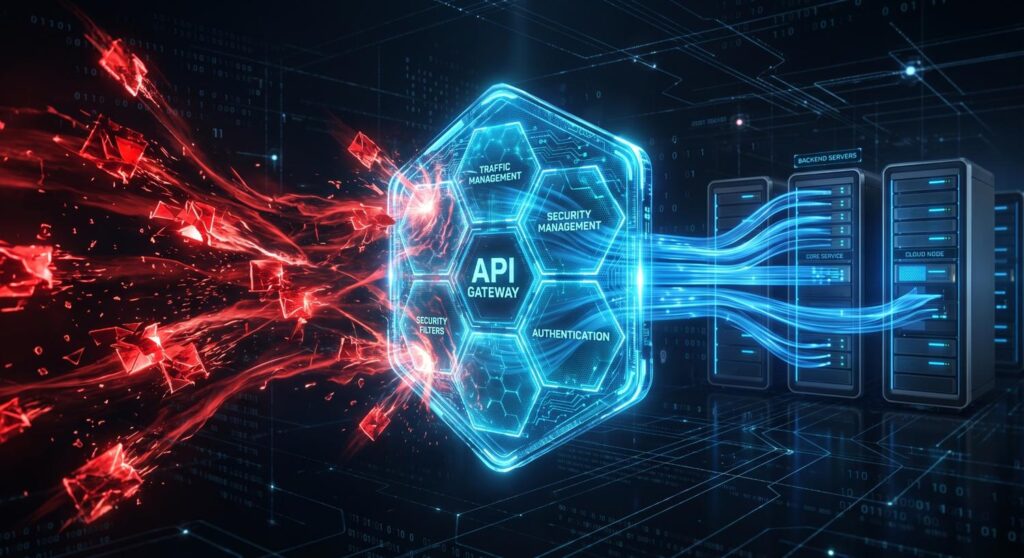
To really grasp how this protects your business, you need to visualize the API Gateway. It completely decouples your fast-moving AI experiments from your slow-moving legacy core.
Key takeaway: If your legacy system needs to go offline for maintenance, the API gateway can simply queue the AI’s requests. The AI workflows don’t crash; they just wait patiently until the system is back up.
Where to Start When You Automate Workflows

A huge mistake companies make when they try to automate workflows is picking the wrong targets. If a process just involves copying static data from one screen to another, don’t waste an LLM on it. Use a cheap, traditional script.
You want to deploy AI workflow automation where human cognitive load is high. Look for these three signals:
- The “Alt-Tab” Nightmare: Workflows where highly paid employees spend hours jumping between 15 different legacy screens, emails, and PDFs just to gather enough context to make a single decision.
- Unstructured Data Jams: Any process that relies on reading free-text documents—like parsing incoming vendor contracts, reviewing clinical notes, or processing messy invoices.
- Clear “Definitions of Done”: AI needs to know what success looks like. Pick areas to automate workflows that have clear operational playbooks and plenty of historical examples the AI can learn from.
The Real-World View: A Healthcare Example

Let’s step out of theory and look at a highly regulated environment. Imagine a hospital running an older, clunky Electronic Medical Record (EMR) system. They want to automate workflows surrounding prior authorization requests—the painful, slow process where nurses fax patient histories to insurance companies.
If you try to install an LLM directly into that old EMR database, you are begging for a HIPAA violation and a system crash.
Instead, using the Strangler Fig approach, the engineering team deploys a middleware gateway. This gateway safely pulls the old, messy data out of the EMR, translates it into modern, standardized formats, and pushes it to a secure cloud environment.
The AI agent lives in the cloud. It grabs that clean data, reads the doctor’s notes, and writes the authorization letter in seconds. It doesn’t send the letter directly, though. It routes the draft back through the gateway, dropping it seamlessly into the doctor’s inbox for a quick human review.
The legacy EMR is safe. Patient data is locked down. And the hospital just saved thousands of hours of administrative busywork.
Navigating the Speed Bumps

Even with a perfect plan, you are going to hit friction. Here is how to handle the two most common hurdles when you set out to automate workflows:
- The Talent Gap: The developers who built your core systems are gone, and your current team is terrified of breaking the old code.
- The fix: Use AI to understand your own tech. Modern GenAI coding assistants are incredible at reading ancient, undocumented codebases, mapping dependencies, and telling your engineers exactly where it is safe to insert modern APIs.
- Hallucinations in High-Stakes Workflows: An AI hallucinating a fun fact in a marketing email is embarrassing. An AI hallucinating a financial figure in your ERP system is disastrous.
- The fix: Keep your AI strictly tethered to your own data using Retrieval-Augmented Generation (RAG). Program the AI to only answer based on your enterprise documents. Build rules into your API gateway that instantly reject any output that doesn’t match the expected format (e.g., rejecting text when a number is required).
The Bottom Line
The push for AI isn’t a passing trend; it’s a fundamental shift in how business operates. But you don’t have to throw away decades of IT investment to get there.
By taking an incremental, engineering-first approach—using API gateways, Zero-Trust security, and the Strangler Fig pattern—you can modernize your legacy systems safely. You protect the core business while using AI workflow automation to deliver the speed your executives are demanding.
The bridge between your legacy past and your AI future isn’t a massive leap. It’s built one smart, secure API at a time.
Stop patching legacy code. Let’s build your AI future safely.
Bring your toughest engineering bottlenecks to RannLab Technologies.
We specialize in secure API architecture, hybrid-cloud deployments, and enterprise-grade AI integration that allows you to automate workflows without business disruption.
