
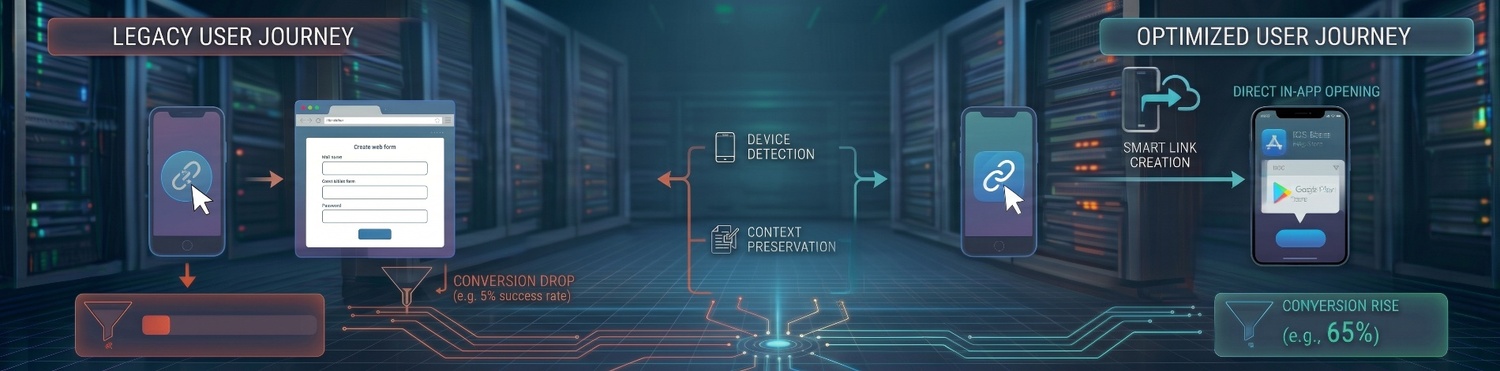
Imagine spending thousands of dollars on a highly targeted ad campaign or an influencer partnership, only to watch your traffic vanish into thin air. When users click your app campaign link, every extra step or confusing screen they encounter increases the chance they will abandon the process.
Sending all mobile traffic to one generic landing page—forcing users to hunt for the right download button—is one of the biggest conversion leaks in modern app marketing. If you want to maximize your install rates and maximize your return on ad spend (ROAS), you need a smart app-store redirect.
A smart app-store redirect solves this drop-off issue by detecting the user’s device context and routing them automatically to the correct destination. In this comprehensive guide, we will break down how these dynamic links work, the psychology behind why they boost conversion rates, and the best practices for setting them up flawlessly.
The Problem with Generic App Links
App install campaigns are highly sensitive to user friction. When you run a broad marketing campaign on social media, via email, or through SMS, your audience is inevitably split between iOS users, Android users, and even desktop browsers.
If you use a standard, static link that points to a generic landing page, the user is forced into a multi-step journey:
- They click the ad.
- They land on a webpage.
- They scroll to find the download buttons.
- They mentally identify their operating system and click the correct store icon.
This introduces decision fatigue and unnecessary physical clicks. In the mobile world, every additional second of load time or extra tap drops your conversion rate by a significant percentage. High-intent users bounce before they ever reach the Apple App Store or Google Play Store.
How a Smart App-Store Redirect Works
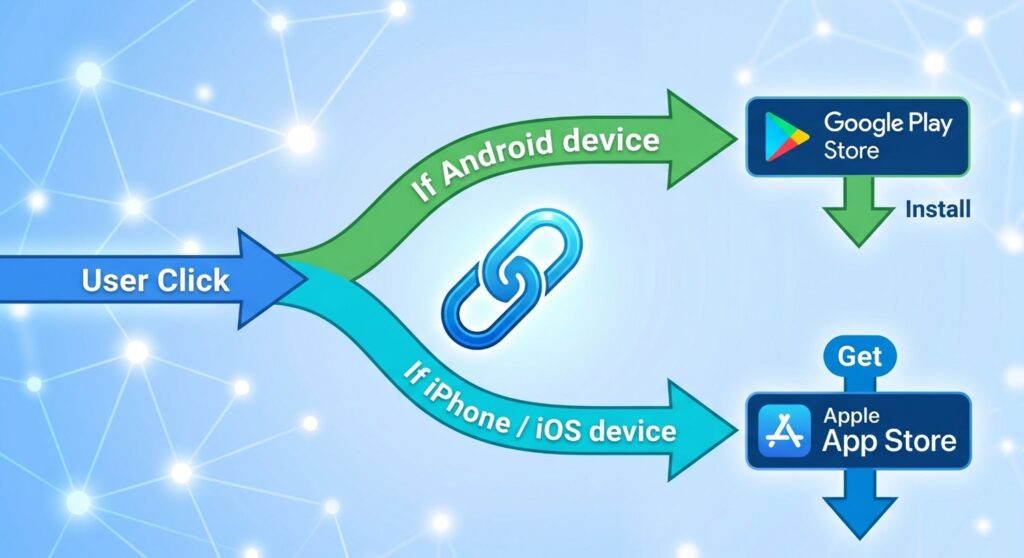
A single short link can intelligently route traffic based on the user’s platform in milliseconds. By implementing a smart app-store redirect, the link reads the device’s “User-Agent” (the technical fingerprint that identifies the operating system and browser) and forwards the user seamlessly.
| User Device | Destination Route | End-User Experience |
|---|---|---|
| Android (Samsung, Pixel, etc.) | Google Play Store | Immediate auto-direct to your app’s listing page in the Play Store app. |
| iPhone / iPad (iOS) | Apple App Store | Immediate auto-direct to your app’s listing page in the App Store app. |
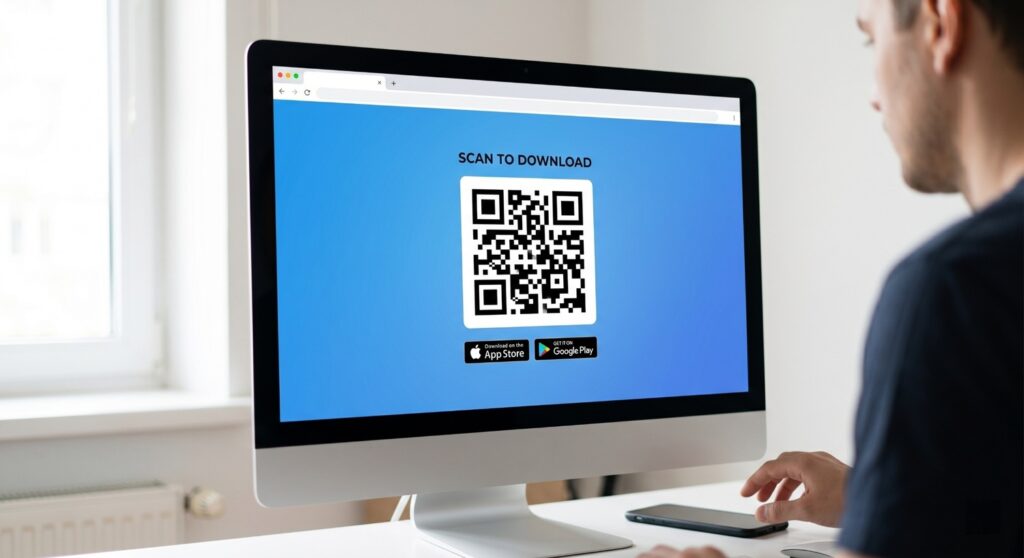
| Desktop / Web Browser | Custom Chooser Page | Shows a landing page with both store badges, or a QR code for mobile scanning. |
By automating the routing, the technology acts as an invisible traffic cop, instantly granting the user exactly what they are looking for.
Deep Linking vs. App-Store Redirects
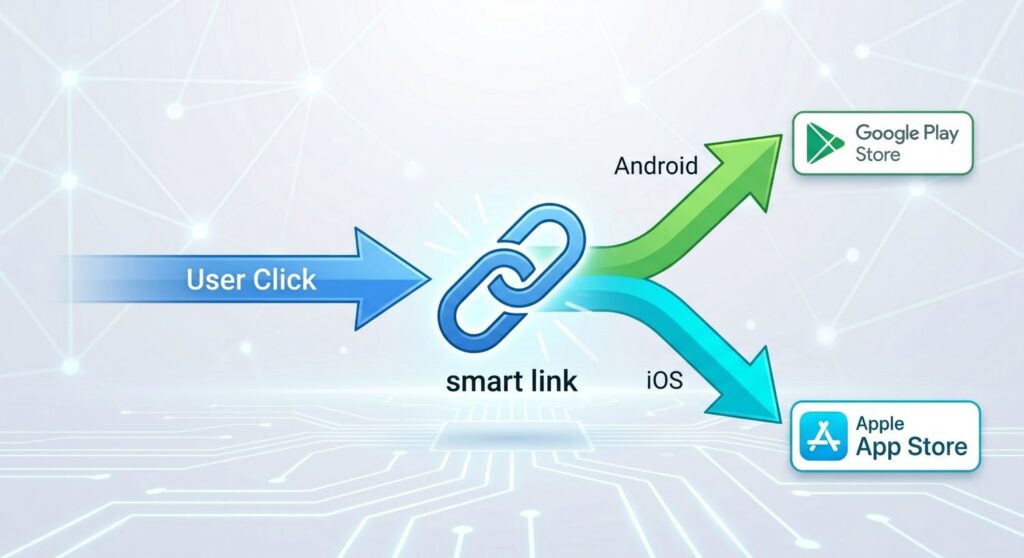
It is important to distinguish between a standard app-store redirect and a deep link, as marketers often confuse the two.
- Smart App-Store Redirect: Designed for user acquisition. It checks the device OS and sends the user to the correct app store to download the app.
- Deferred Deep Linking: Designed for user engagement and retention. It checks if the user already has the app installed. If they do, it opens the app directly to a specific page (like a specific product in an e-commerce app). If they do not, it sends them to the app store first, and then routes them to that specific page after they install it.
Many premium link management tools combine both features into a single powerful link.
Why This Matters for Conversion & Growth
Every click you remove from the user journey directly protects your bottom line. Using a smart app-store redirectoptimizes your marketing funnel in several concrete ways:
- Fewer Clicks Before Install: Bypassing intermediate landing pages gets the user to the download button instantly. Friction is the enemy of conversion.
- Better User Experience (UX): Seamless, instantaneous transitions prevent frustration. A smooth initial touchpoint builds brand trust before they even open your app.
- Higher Return on Ad Spend (ROAS): By removing friction, more of your paid clicks successfully convert into actual installs, lowering your Cost Per Install (CPI).
- Cleaner Attribution: A single, intelligent link allows you to segment your reporting clearly by route, platform, and campaign source without juggling a dozen different URLs in your ad manager.
Top Use Cases for Smart Redirect Links
Where should you deploy these intelligent links? Almost everywhere you market your app:
- Social Media Bios: Instagram, TikTok, and X (formerly Twitter) only give you one link in your bio. A smart redirect ensures that one link serves all followers perfectly.
- Influencer Marketing: When podcasters or YouTubers read an ad for your app, giving them a single, memorable URL (e.g.,
[yourbrand.com/download](https://yourbrand.com/download)) is much easier than explaining “click the iOS link here, and the Android link there.” - QR Codes for Print Media: Printing a single QR code on billboards, direct mailers, or product packaging that adapts to the user’s phone saves valuable visual space and eliminates user confusion.
- SMS & Email Campaigns: Space is limited in text messages. One short, dynamic link saves character count and looks much cleaner.
What Metrics to Measure
To truly evaluate the performance of your smart app-store redirect and optimize your campaigns, you need to track platform-specific selection data. Keep a close eye on these Key Performance Indicators (KPIs):
- Total Clicks vs. Total Installs: The baseline conversion rate of your link.
- Android Auto-Redirect Count: Total users successfully pushed to Google Play.
- iOS Auto-Redirect Count: Total users successfully pushed to the App Store.
- Desktop Chooser Views: Traffic volume hitting your fallback landing page from desktop computers.
- Desktop Conversion: How many desktop users manually clicked the Android/iOS options or scanned the fallback QR code.
Common Mistakes to Avoid
Even with a smart app-store redirect in place, poor strategic configuration can hurt your campaigns. Avoid these common pitfalls:
- Sending Mobile Users to Generic Pages: Never break the immediate redirect flow for mobile users. If they are on a phone, send them straight to the store.
- Using Separate Links Per Platform in Ads: Avoid creating messy ad creatives or social posts with two separate links (“Click here for iOS, here for Android”). It looks unprofessional and dilutes your click-through rate.
- Ignoring Desktop Behavior: Always have a clean, branded fallback page for desktop users. A broken link or a blank page loses potential users who might have intended to download your app later.
- Not Tagging Links Properly: Failing to append UTM parameters or campaign tags to your smart link means you lose visibility on which specific ad or platform is driving the most valuable installs.
Best Practice Setup Guide
To get the most out of your app marketing efforts, follow this checklist when creating and deploying your smart app-store redirect:
- Create One Short Smart Link: Use a single, branded link per ad campaign (e.g.,
brand.app/summer-sale) to keep your creatives clean and professional. - Verify Both Store URLs: Double-check your Google Play and Apple App Store destination links. A single typo will result in a dead end for 50% of your audience.
- Optimize the Fallback Page: Only trigger the landing page selection screen for desktop users. Ensure this page has clear branding, large app store badges, and ideally a QR code they can scan with their phone.
- Implement UTM Tracking: Tag links by campaign source, medium, and term to ensure your analytics dashboard receives proper reporting data.
- Test on Multiple Devices: Before putting ad spend behind the link, manually test it on an iPhone, an Android device, and a desktop browser to ensure the routing rules fire correctly.
Frequently Asked Questions (FAQ)
What is a smart app-store redirect?
It is an intelligent URL that automatically detects the operating system a user is currently browsing on (such as iOS or Android) and routes them directly to the correct app store, bypassing unnecessary generic landing pages.
Do I need a different link for iOS and Android ad campaigns?
No. The primary benefit of a smart link is consolidation. You can use one single URL across all your marketing channels (Facebook ads, email, SMS, influencers), and the link’s technology will dynamically route users based on their specific device.
What happens if someone clicks the smart link on a desktop computer?
Because you cannot directly install mobile apps on a desktop computer via the app stores, a properly configured redirect will send desktop users to a fallback “chooser” page. This page typically features a QR code they can scan with their phone, alongside manual buttons to view the iOS and Android store listings in their web browser.
Are smart app-store redirects bad for SEO?
No, because these links are designed for user acquisition via direct channels (social media, paid ads, email), not for ranking organically in Google search results. For SEO purposes, you should still maintain a dedicated app landing page on your main website.
Conclusion
A smart app-store redirect is one of the simplest, highest-impact optimizations available to mobile app growth teams. By using one intelligent link to send every user to their native app environment, you significantly lower funnel drop-off, improve user experience, and boost your overall return on ad spend.
Launch smarter app campaigns with ZipLnk Smart Redirect and send every user to the right app store automatically.
