
In the rapidly evolving digital landscape of 2026, the technical foundation of your online store dictates your brand’s ceiling. For many growing apparel companies, the realization eventually hits: WooCommerce, while flexible, often becomes a bottleneck for high-growth scaling. Whether it is “plugin bloat” slowing down your mobile experience or the high cost of maintaining a secure, self-hosted server, the need for a more robust solution is clear.
Migrating fashion brand from WooCommerce to Shopify is the most common path for D2C (Direct-to-Consumer) apparel labels looking to stabilize their infrastructure. This move represents more than just a change in dashboard; it is a shift toward a “Commerce OS” that allows you to focus on design and marketing rather than server maintenance and database patches.
1. Why Migrating Fashion Brand From WooCommerce to Shopify is Essential in 2026
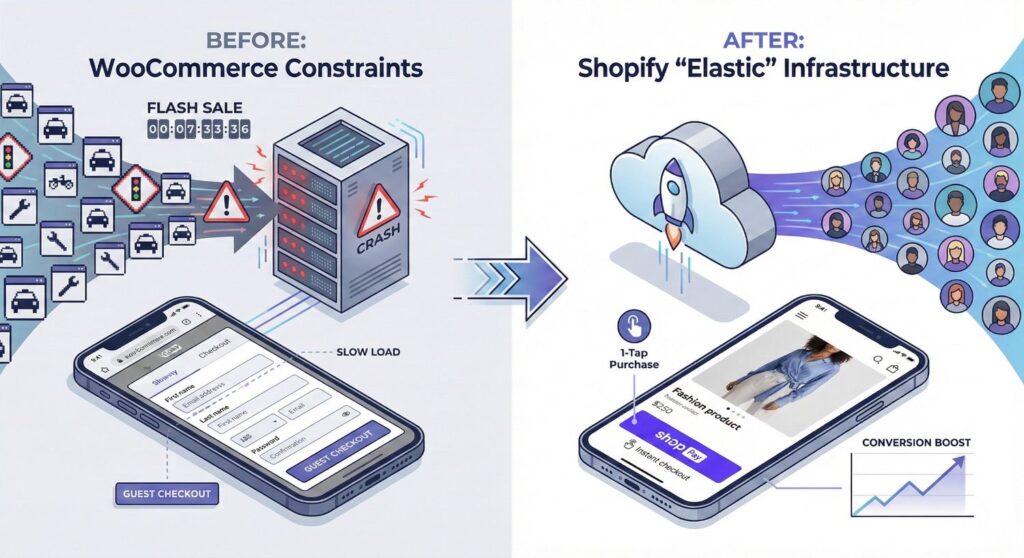
The fashion industry is uniquely demanding. High-resolution imagery, video lookbooks, and seasonal traffic spikes require a platform that is “elastic.” Here is why top brands are making the switch this year:
The “Flash Sale” Resilience
Fashion brands live and die by the “Drop.” When you release a limited-edition collection, your site might see a 5,000% increase in traffic in under sixty seconds. WooCommerce sites often crash during these peaks due to shared hosting limits or PHP execution bottlenecks. Shopify’s cloud-native infrastructure is built to handle the world’s largest flash sales (think Kylie Cosmetics or Kim Kardashian’s SKIMS) without breaking a sweat.
Mobile-First Conversion via Shop Pay
In 2026, over 85% of fashion discovery happens on mobile devices through social platforms like TikTok and Instagram. Shopify’s native checkout, Shop Pay, is optimized for one-tap purchasing. Statistics show that Shop Pay increases conversion rates by up to 50% compared to guest checkouts on WooCommerce, significantly lowering your Cost Per Acquisition (CPA).
2. The Pre-Migration Audit: Setting the Stage for Success
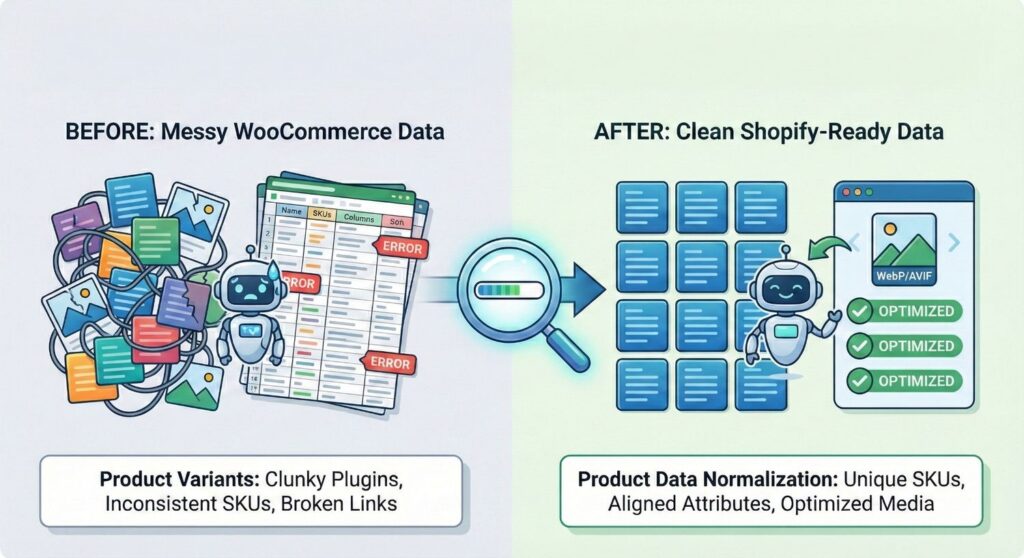
Before you begin migrating your fashion brand from WooCommerce to Shopify, you must perform a comprehensive audit of your existing data. Moving “messy” data will only result in a messy Shopify store.
Product Data Normalization
Fashion catalogs are complex because of Variants. In WooCommerce, variants are often handled via heavy plugins that don’t always map cleanly to Shopify’s architecture.
- SKU Mapping: Ensure every size/color combination has a unique SKU.
- Attribute Alignment: Map your WooCommerce “attributes” (Material, Fit, Style) to Shopify’s “Metafields.”
- Media Audit: Identify broken image links. This is the perfect time to upgrade your photography to the WebP or AVIF format to ensure your new store passes Google’s Core Web Vitals.
SEO Benchmarking
You cannot protect what you haven’t measured. Use a tool like Ahrefs or Semrush to export your top-ranking URLs. You will need this list to create your 301 redirect map later.
3. Step-by-Step Technical Migration Process
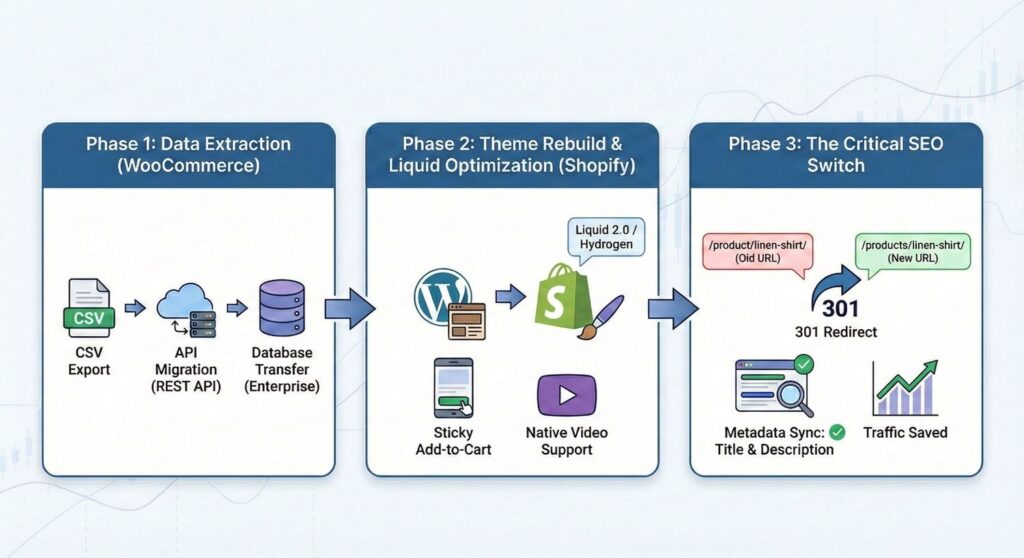
Phase 1: Data Extraction
You have three primary methods to extract data from WooCommerce:
- Standard CSV Export: Best for simple stores with minimal product complexity.
- API Migration: Using a tool like Cart2Cart or custom scripts to pull data via the WooCommerce REST API. This is the preferred method for maintaining Customer Order History.
- Database Transfer: For enterprise fashion brands, a direct database migration ensures that complex custom fields (like “Fabric Origin” or “Sustainability Certifications”) are preserved.
Phase 2: Theme Rebuild and Liquid Optimization
You cannot simply “upload” a WooCommerce theme to Shopify. This is the stage where you rebuild your aesthetic using Liquid 2.0 or Shopify Hydrogen.
- Design for Discovery: Implement “Sticky Add-to-Cart” and “Quick View” modals.
- Visual Storytelling: Use Shopify’s native video support to replace the clunky YouTube embeds often found on WordPress sites.
Phase 3: The Critical SEO Switch
The most dangerous part of migrating a fashion brand from WooCommerce to Shopify is the potential loss of organic traffic.
- The URL Rewrite: WooCommerce typically uses the structure
/product/linen-shirt/, whereas Shopify uses/products/linen-shirt/. - 301 Redirects: Every single WooCommerce URL must be redirected to its new Shopify equivalent. If you skip this, Google will see a “404 Not Found” and your rankings will plummet.
- Metadata Sync: Ensure your Page Titles and Meta Descriptions are copied over exactly to maintain your existing click-through rate (CTR) in Search Engine Results Pages (SERPs).
4. Solving the “Customer Data” Dilemma
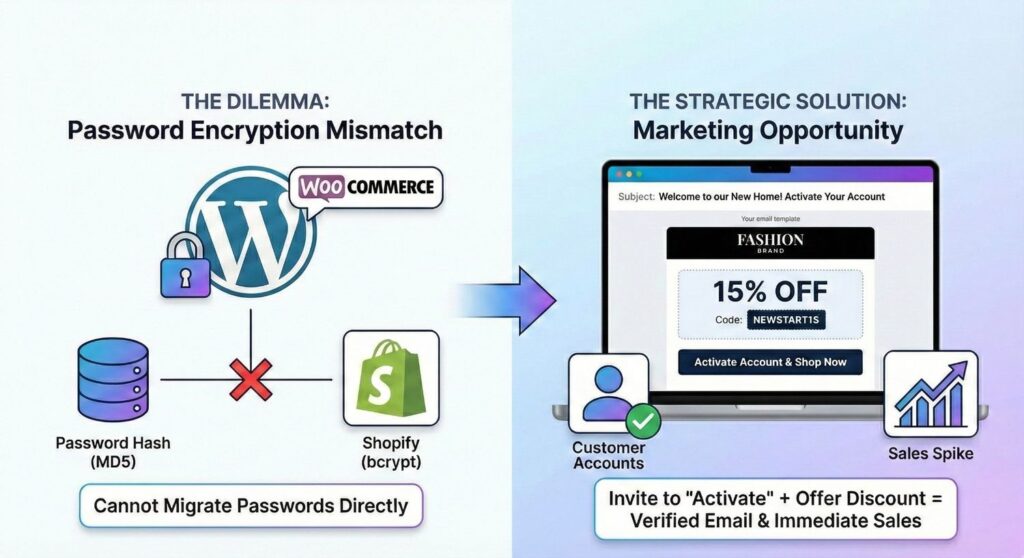
One of the biggest hurdles in migration is customer passwords. Because Shopify uses a proprietary encryption method, you cannot migrate passwords from WordPress.
The Strategic Solution: Instead of a “technical problem,” treat this as a marketing opportunity. Once your new store is live, launch a “Welcome to our New Home” email campaign.
- Invite customers to “Activate” their new account.
- Offer a 10-15% discount for their first order on the new platform.
- This verifies your email list and triggers an immediate spike in sales on your new Shopify store.
5. Integrating the “Apparel Tech Stack”
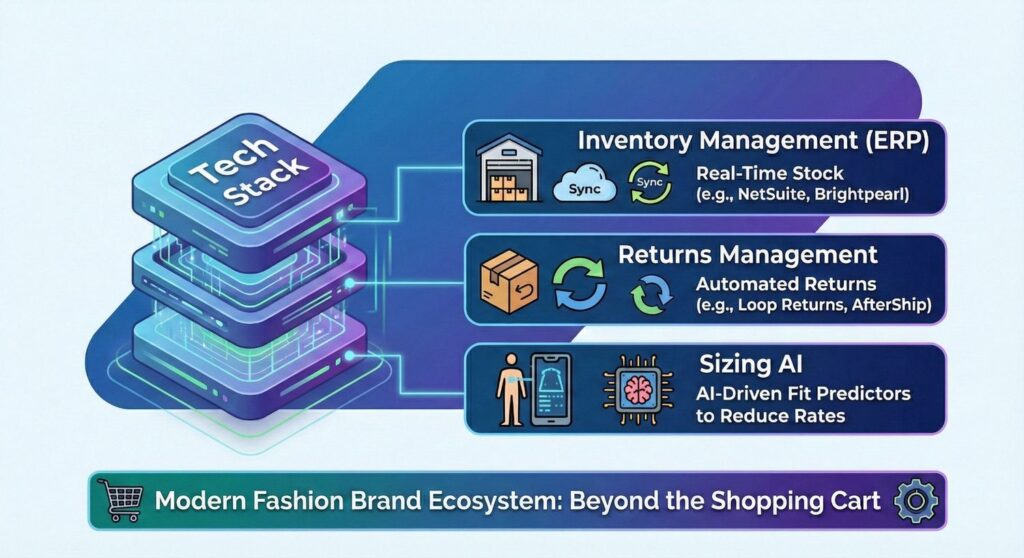
A fashion brand in 2026 requires more than just a shopping cart. Your migration should include the integration of a modern tech stack:
- Inventory Management (ERP): Syncing Shopify with platforms like NetSuite or Brightpearl for real-time stock across multiple warehouses.
- Returns Management: Integrating Loop Returns or AfterShip to automate the return process, which is critical for fashion.
- Sizing AI: Replacing static size charts with AI-driven fit predictors to reduce return rates.
6. Technical SEO Post-Migration Checklist
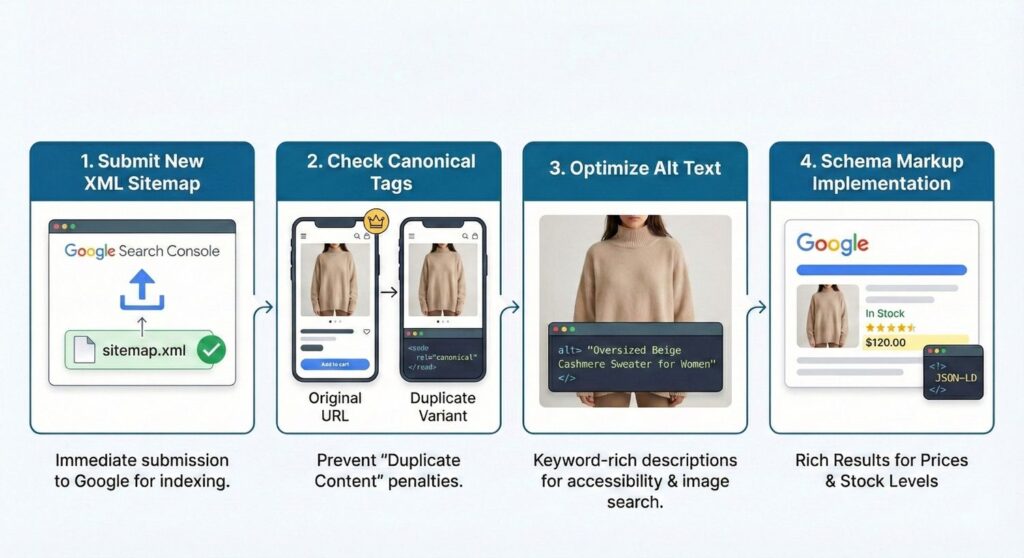
To ensure your SEO score stays at 100/100, follow this post-launch checklist:
- Submit New XML Sitemap: Upload your new
sitemap.xmlto Google Search Console immediately. - Check Canonical Tags: Ensure Shopify is correctly using canonical tags for your product variants to prevent “Duplicate Content” penalties.
- Optimize Alt Text: Ensure every product image has keyword-rich Alt Text (e.g., “Oversized Beige Cashmere Sweater for Women”).
- Schema Markup Implementation: Use JSON-LD Schema to ensure your prices and stock levels show up directly in Google search results.
FAQ: Migrating Fashion Brand From WooCommerce to Shopify
A: For a standard boutique, it can take 2-4 weeks. For enterprise fashion brands with thousands of SKUs and custom integrations, it can take 2-4 months.
A: Not if you use an API-based migration. Your total sales, customer LTV, and order history can all be imported into Shopify’s analytics.
A: While Shopify has a monthly fee, you save money by eliminating separate hosting costs, security plugin fees, and the expensive developer hours required to fix WordPress bugs.
Conclusion: Elevating Your Fashion Empire
Migrating to Shopify isn’t just a platform switch—it’s your upgrade to the big leagues. In 2026, the difference between a customer “browsing” and “buying” relies entirely on superior infrastructure.
At Rannlab Technologies, we don’t just build websites; we engineer commerce experiences. Let us handle the technical heavy lifting with our precision-focused approach so you can focus on what matters: design and revenue. Ready to build a future-proof store that actually converts?
Contact us today to start your journey.